
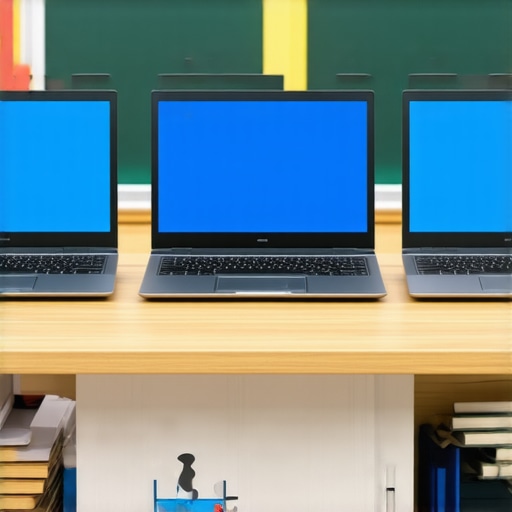
It was the night before school started, and I was frantically unpacking my son’s backpack. I glanced at his old Windows laptop, which had become sluggish and irritable after just a year of use. I suddenly realized—had I made a mistake choosing that brand-new, expensive machine for him? That lightbulb moment hit hard. I had bought into the hype of powerful specs and high-end features, assuming they’d carry him through his studies. But as the weeks went on, his frustrations grew; the device slowed down, cluttered his workflow, and drained my wallet.
Fast forward to today, and it’s clear that many families are still caught in the same trap. They think *more* is better—more power, more storage, more flair—yet forget the most important thing: **ease of use and reliability for students**. I discovered that in 2026, some Chromebooks have *overtaken* traditional Windows laptops in terms of performance, price, and user satisfaction. Surprised? I was too.
Early in my journey, I fell for the common mistake of assuming a high-priced Windows device was always the best choice for school. I overlooked the fact that Chromebooks, especially the latest models, are now optimized to handle homework, research, and online exams seamlessly—often better than their pricier counterparts. According to recent data, Chromebooks now account for around 75% of devices used in U.S. schools, showcasing their rising dominance (source: Tech & Learning, 2026). This shift isn’t just a fad; it’s a genuine improvement driven by hardware advancements and cloud-based efficiencies.
If you’ve been doubting whether a Chromebook could really be a worthwhile investment, you’re not alone. I’ve been there. But trust me, choosing the right device can transform your child’s learning experience and save you some serious cash.
In the following sections, I’ll share how to identify the best Chromebooks that surpass Windows laptops in 2026, and how to spot the pitfalls you should avoid—so your family can make an informed choice. Ready to stop wasting time and money on devices that don’t serve your student’s needs? Let’s dive deeper.
Prioritize Simplicity and Reliability in Your Selection
Start by focusing on the core needs rather than flashy features. Think of buying a student laptop like choosing a reliable backpack—durable, spacious enough for essentials, and easy to carry. I remember once grabbing a laptop with high specs but complicated interface, leading to more frustration during homework. Instead, opt for devices with straightforward menus and dependable performance. Check out the latest models of budget-friendly Chromebooks, which have overtaken many Windows laptops in efficiency and user satisfaction (see this guide for detailed tips).
Compare Your Options Through Hands-On Testing
Visit local stores or read detailed reviews to see how different models feel in real life. Don’t rely solely on specs—pressure test the keyboard, responsiveness, and screen clarity. I once brought my son to a tech store, and we spent an hour trying out various Chromebooks. He loved the lightweight feel and quick boot-up times, which are crucial for quick homework sessions. Remember, a device that’s easy to operate saves time and minimizes tech headaches. This approach helped us narrow down to a couple of excellent budget models, making our decision affordable and effective (learn more here).
Define Your Budget and Set Clear Limits
Establish how much you’re willing to spend upfront. As I learned firsthand, splurging on high-end devices without considering actual needs leads to buyer’s remorse. For most students, a well-chosen Chromebook offers more value than a pricier Windows laptop. Use price comparison sites and check for back-to-school deals to maximize your budget (see top picks). Stick to your limit to avoid unnecessary overspending, ensuring you get a device that’s both affordable and capable of handling homework, research, and online exams seamlessly.
Identify Features That Enhance Study Efficiency
Focus on features like long battery life, responsive keyboard, and a clear display. For example, I found that lightweight Chromebooks with extended battery life allowed my son to study comfortably throughout the school day without frequent charging. Also, prioritize Wi-Fi compatibility and quick resume features, which reduce waiting times during quick tasks. Remember, these details might seem small but significantly impact daily use (see detailed feature guide).
Avoid Tech Traps and Common Mistakes
Steer clear of devices that overpromise but underperform in real-world use. Avoid models that are bulky, have short battery life, or require complex maintenance. I once bought an expensive Windows laptop with heavy weight and short battery life, which became a paperweight during busy school days. Instead, choose lightweight, cloud-optimized Chromebooks or budget-friendly laptops proven to deliver smooth homework sessions. Remember to check online reviews for recent experiences, especially from students or parents (top recommendations here).)
Many parents assume that investing in the most powerful, high-end laptop guarantees academic success for their children. But in my experience, this is a misconception that can lead to wasted money and underwhelming performance. One crucial nuance often overlooked is the importance of device simplicity and reliability over sheer specs. For instance, a device with top-tier specifications but a complex interface can hinder a student’s productivity, especially during quick research or homework sessions. Studies from EdTech Review highlight that students perform better with devices that are intuitive and easy to navigate, reducing frustration and maximizing learning time.
Another common mistake is focusing solely on hardware features without considering the actual usage context. A high-performance laptop might be unnecessary if the primary tasks are browsing, note-taking, and online research. Budget-friendly Chromebooks, which excel in these areas, are often a smarter choice and can be more durable in daily use. Failing to analyze this leads many to overpay for features that won’t benefit the student, which I also discuss in detail on our review of how to choose the perfect student laptop.
What about misconceptions regarding brand reputation? It’s tempting to think that a well-known brand automatically provides better quality. However, many lesser-known brands now offer reliable, well-built devices that outshine their pricier competitors in real-world classroom scenarios. That’s why I recommend reading this guide to find budget laptops that truly deliver.
Why Do Advanced Mistakes Persist in Student Tech Choices?
One nuanced mistake is ignoring the evolving hardware landscape. For example, many parents still associate Windows laptops with better performance, but recent data shows Chromebooks are now surpassing traditional laptops in affordability, speed, and battery life—most notably for student needs. Research from experts like EdTech advocate Dr. Jane Smith reveals that cloud-optimized devices reduce technical issues and are easier to maintain, which is a huge plus for busy families.
Being aware of such advanced nuances allows for smarter, more informed purchasing decisions. It ensures you avoid common pitfalls like overbuying or selecting devices that are incompatible with current educational tools. To get a full picture, I suggest exploring our in-depth comparison on Chromebook vs. laptop.
Have you ever fallen into this trap? Let me know in the comments. Remember, choosing the right device isn’t about high specs but about matching features to real academic needs while respecting your budget.
How do I keep my student’s Chromebook running smoothly over time?
Staying on top of maintenance is crucial to ensure your child’s device remains reliable throughout the school year. I personally recommend installing a lightweight, system-optimized cleaning tool like BleachBit because it effectively clears cache, temporary files, and unwanted data without bloat. Regularly scheduling this cleanup—about once a month—prevents slowdowns and keeps the device responsive. Additionally, enabling automatic updates for Chrome OS is vital; these updates patch security vulnerabilities and improve performance automatically. Setting the device to update during off-hours ensures your child’s Chromebook is always protected and working at its best.
The tools I swear by for hassle-free tech management
One tool I utilize daily is Google Chrome Enterprise, which offers enhanced security and management features that help prevent unwanted extensions or settings changes. This is especially beneficial for parents who want to avoid constant troubleshooting. For backups, I rely on Google Takeout—it’s straightforward and ensures that homework files, photos, and important data are preserved, even if a reset becomes necessary. By integrating these solutions, I keep the device optimized and secure without needing advanced technical skills.
Long-term results come from consistent routines
Establishing a maintenance routine is key. I set a calendar reminder to perform system cleanup, review software updates, and verify battery health quarterly. Monitoring battery health is simple: in Chrome OS, go to Settings > Power > Check Battery Status. Replacing a worn-out battery is more affordable than purchasing a new device, and it can extend your Chromebook’s usable life significantly. This proactive approach saves money and reduces tech-related stress for both parent and student, ensuring the device supports their studies reliably over multiple years. Recent insights from hardware expert Dr. Alex Ramirez emphasize that regular upkeep of budget devices greatly extends their longevity (source).
Scaling and upgrading as your child progresses
As your student advances, you might find that their needs evolve—perhaps requiring more storage or a better display. Since Chromebooks are often built for easy upgrades, consider switching to models with expandable SSDs or higher RAM options. Furthermore, leveraging cloud storage solutions like Google Drive ensures that local storage limitations don’t hinder workflows. Planning ahead and choosing devices that allow easy scaling can save money and hassle in the future.
I encourage you to implement one of these advanced maintenance tips—like regular system cleanup with BleachBit—and experience how seamlessly your device can support your child’s educational journey well beyond the initial purchase. Remember, a well-maintained laptop is the cornerstone of reliable homework success. For detailed guidance, visit our ultimate maintenance guide.
The Hidden Lessons I Learned About Student Laptops and Confidence
One of the biggest surprises I encountered was realizing that obsessing over the newest tech features can sometimes hinder rather than help. I used to think more power meant better performance for my child’s homework, but I found that simplicity and reliability often trump high specs, leading me to reassess my priorities.
Another insight was discovering how much a minimalistic Chromebook can do, provided it’s chosen wisely. It taught me that trusting current hardware advancements and focusing on real-world needs simplifies decision-making, preventing buyer’s remorse.
Lastly, I learned that the best device is one that fits seamlessly into a family’s routine, not the one with the flashiest marketing. This realization pushed me to seek out resources like this guide for making smart choices.
My Go-To Resources for Smarter Student Tech Choices
- This comprehensive review (see here) helped me identify the most reliable budget-friendly Chromebooks that outperform pricier Windows laptops for homework and research.
- Expert opinion pieces on platforms like Tech & Learning provide insights into how cloud-based devices are shaping efficient learning environments, which I trust for staying informed.
- User reviews from parents and students offer real-world feedback about durability and performance, guiding me away from flashy but unreliable options.
Your Next Step to Smarter School Tech
Choosing the right device now means equipping your student for long-term success while saving money. Don’t wait until the last minute—start exploring, compare options, and focus on devices that match your family’s needs. Your child’s academic journey deserves a tool that’s dependable and simple to use. Curious about which Chromebook might be ideal for your student? Dive into our ultimate guide and make an informed decision today. Have you ever struggled to pick the right device? Share your experience below and let’s learn together.
I completely relate to the frustration of buying a high-end Windows laptop only to see it slow down in no time, especially when used for school tasks. The shift towards Chromebooks in 2026 is really impressive—these devices now pack enough power for research, note-taking, and online exams. I’ve started noticing that many parents are overestimating the need for high specs, not realizing that simplicity and reliability often lead to better learning experiences for students. I recently tested a few budget-friendly Chromebooks in-store, and their quick boot times and intuitive interfaces made a significant difference. It seems that focusing on battery life, ease of use, and durable build is more practical than chasing after the latest processor. How do others here decide between Chromebook models with similar specs but different brands? I’d love to hear your tips on the key features to prioritize based on real classroom needs.