
Have you ever sat at your desk, staring at your old, sluggish laptop, and wondered if there was a better way? That lightbulb moment hit me hard during my first college year. My laptop froze just as I was about to submit an important assignment, and I realized I needed something reliable—without breaking the bank. If you’re in the same boat, you’re not alone. Finding an affordable yet capable device in 2024 feels like searching for a needle in a haystack, especially with so many options flooding the market.
Why Picking the Right Budget Laptop Matters More Than Ever
As students, our laptops are more than just gadgets; they’re essential tools for learning, research, and staying connected. But let’s be honest—most of us have limited budgets. The good news? You don’t need to spend a fortune to get a device that can handle your workload. A recent survey found that over 70% of students use their laptops for at least 5 hours daily, making performance and durability critical factors (source).
Is a Chromebook Worth the Hype?
When I first started searching, I was skeptical. Are Chromebooks just cheap alternatives? Absolutely not. They offer a lightweight, fast, and secure experience perfect for students juggling homework, online classes, and streaming. Plus, they tend to be more budget-friendly. I made the mistake early on of ignoring the differences between Chromebooks and traditional laptops, which led to frustration when I realized some tasks required more power than a Chromebook could provide. Want to avoid that mistake? Check out this comparison guide.
Today, I’ll walk you through how to pick a budget-friendly device that fits your needs, so you can focus on what really matters—your studies and passions—without stressing over your tech. Ready to find that perfect device? Let’s dive in and get started.
Set Your Priorities Before Shopping
Before diving into the specs, ask yourself what you’ll use your laptop for most. Will it be mainly for browsing, writing papers, or light coding? Or do you need a device capable of multitasking with multiple tabs and applications? Clarifying your needs will narrow down your options and prevent you from overspending on features you won’t use.
Compare the Operating Systems and Ecosystems
Choosing between a Chromebook and a traditional Windows or Mac laptop significantly impacts your experience. Chromebooks are excellent for online tasks, quick boot-ups, and long battery life. They are perfect for students focusing on cloud-based work and online research. However, if your coursework involves specialized software or offline heavy tasks, a Windows laptop might be more suitable. Use this comparison guide to understand these differences better.
Prioritize Performance for Your Budget
For budget laptops, focus on CPU and RAM. Aim for at least an Intel Core i3 or AMD Ryzen 3 processor, paired with 8GB of RAM if possible. This combo ensures smooth multitasking and enough power for everyday tasks. I once bought a low-end Chromebook with only 4GB RAM, and it struggled when I had multiple tabs open. Upgrading your RAM isn’t always possible, so select a device with sufficient memory from the start to avoid frustration.
Assess Storage Needs Carefully
Most budget laptops and Chromebooks rely on cloud storage, but local storage matters if you plan to work offline or store files locally. A device with 128GB SSD offers fast performance and enough space for essential documents. If you’re tight on budget, a Chromebook with 64GB eMMC storage can suffice, especially if you utilize Google Drive or similar cloud solutions. Remember, extra local storage often increases cost, but it’s a worthwhile investment for offline work.
Check Battery Life and Build Quality
Battery life is crucial for students on the go. Look for models promising 8+ hours of usage. During my own purchase, I opted for a Chromebook with a 10-hour battery, which lasted through entire school days without charging. Also, examine the build quality—avoid overly cheap plastic shells that might crack easily. Lightweight, durable devices will serve you better over the long term.
Read User Reviews and Expert Opinions
Real-world reviews reveal how devices perform in daily use. I read through dozens of reviews on top budget laptops and chromebooks, noting recurring issues like keyboard comfort and screen brightness. Focus on reviews from students similar to you, and check the latest updates on top budget options. This step helps you avoid models with hidden flaws.
Compare Prices and Deals to Maximize Value
Price comparison is essential to stretch your budget. Watch out for seasonal sales and student discounts. I found a great deal on a Chromebook during back-to-school sales, saving over 20%. Use trusted sources and check for warranties or return policies for peace of mind. Don’t forget to explore bundles or refurbished options for even better prices.
Make Your Final Choice Confidently
Once you’ve narrowed down your options based on performance, price, and reviews, trust your instincts. Remember, the best budget device for you is the one that balances your needs with your budget without causing frustration. Keep in mind, upgrading components later is often limited, so choose wisely now.
Many students jump into buying a budget laptop with the hope of saving money, but there are some hidden pitfalls that can trip you up. Let’s dig deeper into what most people misunderstand or overlook when selecting their ideal device. Understanding these nuances can save you from costly mistakes and ensure your device truly meets your needs.
Why the Myth of the Cheapest Always Wins Is Wrong
It’s tempting to go for the lowest-priced model, thinking it’s a smart way to save money. However, the cheapest laptops often cut corners on essential features like build quality, battery life, or performance. For example, a sub-$300 Chromebook might seem appealing but could struggle with multitasking or offline storage. Instead, aim for a balanced choice that offers good performance within your budget. In fact, a study from this guide shows that spending a little more upfront can prevent frustration later.
Beware of Overlooking Storage and RAM
Many students focus heavily on CPU specifications, forgetting that RAM and storage are equally critical. An underpowered device with only 4GB of RAM and limited storage can severely hamper your workflow. For instance, opening multiple tabs or working offline on documents will slow you down or cause crashes. Look for models with at least 8GB of RAM and 128GB SSD storage. This isn’t just about specs; it’s about your productivity and avoiding the annoying
How do I maintain my laptop over time?
Keeping your budget laptop running smoothly isn’t just about choosing the right device initially; it requires ongoing maintenance and smart tools. Personally, I rely heavily on a few essential practices and software that have helped me extend the lifespan of my devices significantly.
First, regular software updates are a must. Whether you use a Chromebook or a Windows machine, enabling automatic updates ensures you get the latest security patches and performance improvements. For Chromebooks, Google regularly releases updates that optimize battery life and speed. On Windows, I make it a habit to check for updates weekly, preventing vulnerabilities and bugs from piling up.
Second, I recommend using trusted cleaning tools like CCleaner or the built-in Disk Cleanup utility. These help remove unnecessary files, freeing up space and reducing system load. For instance, I use CCleaner to clear browser caches and temporary files, which keeps my laptop feeling snappy, especially during exam season when I multitask heavily.
Third, managing startup programs is crucial. I often disable apps that automatically launch on boot—this simple step drastically reduces startup time and conserves resources. On Chromebooks, this isn’t as big of an issue, but on Windows laptops, it makes a noticeable difference.
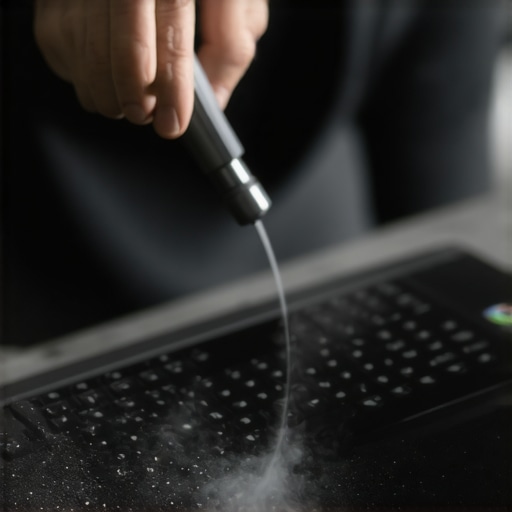
Hardware maintenance shouldn’t be overlooked either. Regularly cleaning the keyboard and vents prevents dust buildup that can cause overheating. I use compressed air cans to blow out dust from vents and keyboard crevices—simple but effective. Additionally, investing in a good-quality protective case or sleeve can prevent physical damage during daily commutes.
When it comes to long-term results, I’ve found that backing up important files is indispensable. Cloud services like Google Drive or Dropbox are perfect for Chromebooks, while Windows users might prefer OneDrive or external drives. This way, no matter what happens—be it hardware failure or accidental deletion—you won’t lose precious work.
Looking ahead, I predict that automation tools will become even more integrated into maintenance routines. Features like scheduled disk scans or automatic cleanup can save time and keep your device at peak performance with minimal effort.
Finally, if your device starts slowing down despite regular care, consider a quick hardware upgrade—such as increasing RAM or switching to a larger SSD if your device supports it. Keep in mind, some models—especially budget ones—have limited upgrade options, so research before buying.
By following these maintenance habits, you’ll get more mileage out of your affordable device and avoid unnecessary replacements. Don’t forget to check out detailed guides like this comprehensive guide for more tips on keeping your laptop in top shape.
The Hardest Lesson I Learned About Budget Laptops for Students
One of the biggest surprises I faced was realizing that not all budget laptops are created equal. I once bought a device solely based on price, only to find out it couldn’t handle multitasking or offline work. That taught me the importance of balancing cost with performance. I learned that investing a little more upfront could save hours of frustration later, especially when my device slowed down during exams.
3 Myths About Affordable Student Laptops That Held Me Back
For a long time, I believed that a Chromebook was the only affordable option for students. Turns out, there are many budget-friendly Windows laptops that offer excellent offline capabilities and software compatibility, making them just as good, if not better, for certain tasks. Dispelling this myth opened up more options and helped me find a device that truly met my needs.
What Experts Won’t Tell You About Maintaining Your Budget Laptop
Many overlook that regular maintenance is key to extending their device’s lifespan. Simple habits like keeping software updated, cleaning vents, and managing startup applications can keep your laptop running smoothly for years. I’ve found that dedicating just 10 minutes weekly to these tasks dramatically improved my device’s performance and durability.
My Essential Toolkit for Keeping a Budget Laptop in Top Shape
Over time, I relied on trusted tools like Google Drive for cloud storage, CCleaner for cleaning unnecessary files, and automatic update settings. These tools help me avoid hardware issues and performance drops. I also keep a lightweight protective case to prevent physical damage, ensuring my device stays reliable through daily commutes.
Your Turn to Take Action
Choosing the right budget laptop is just the beginning—maintaining it is what makes it last. Are you ready to put these lessons into practice and find your perfect student device in 2024? Share your experiences or questions below, and let’s build a tech-savvy student community together!