
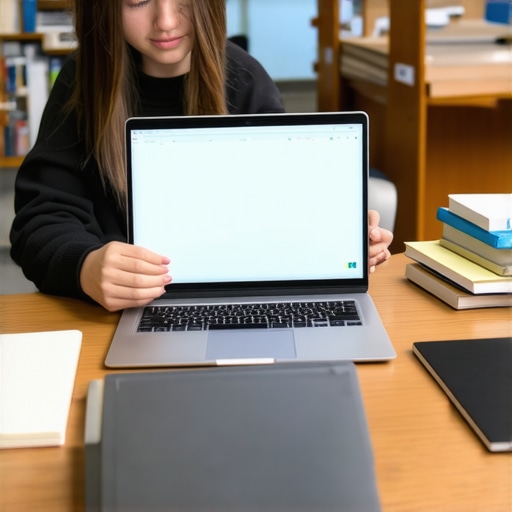
I remember the moment clearly. It was the first week of college, and I had just splurged on a shiny new laptop that cost way more than I could really afford. Two weeks in, I was already regretting that decision. The device was bulky, sluggish, and honestly, it was more of a distraction than a tool for studying. That lightbulb moment hit me hard: I had bought the wrong machine for my needs—and my budget. Since then, I’ve learned the value of choosing wisely, especially when it comes to student laptops and Chromebooks that won’t break the bank but still get the job done.
Why Your Next Laptop Should Balance Cost and Capability
In 2024, students face a unique challenge. The market is flooded with options, and it’s tempting to grab the cheapest device or splurge on high-end models. But here’s the truth I’ve discovered through years of experience and research: the best student laptops are those that strike a balance. They’re affordable, reliable, and capable enough to handle everything from online classes to homework, and even some light gaming or creative work. And yes, you can find great options without spending a fortune.
According to a recent report by PCMag, the average student spends around $600 on a laptop, but you don’t have to break that barrier to get a solid device. There are countless budget-friendly options that outperform older, more expensive models. If you’re feeling overwhelmed by choices or worried about making the wrong investment, don’t worry. I’ve got you covered with practical advice and honest reviews to help you navigate this tricky terrain.
Have you ever bought a device that promised the world but left you stranded? Trust me, I’ve made that mistake early on. It’s why I emphasize doing your homework before clicking that ‘buy’ button. To make sure you’re making an informed decision, I recommend checking out detailed guides like this one on choosing the perfect student laptop. It’s packed with tips that can save you from regret and wasted money.
So, if you’re tired of feeling lost in the sea of options and want a device that’s reliable, affordable, and ready to tackle your academic workload, you’re in the right place. Over the next sections, I’ll walk you through the key features to look for, the best budget models for 2024, and some insider tips to get the most bang for your buck. Ready? Let’s dive in and find your perfect student companion for the year ahead.
Identify your needs clearly before shopping
Think of buying a student laptop like shopping for a versatile tool — you want it to fit your specific tasks. Do you mainly write papers, browse the web, and attend online classes? Or do you plan to do some light photo editing or gaming? I once rushed to buy a high-end gaming laptop without considering my actual needs, and it sat unused most of the time. By listing out your top tasks, you can focus on models that meet those without overspending.
Set a realistic budget and stick to it
Determine how much you’re willing to spend, ideally between $400 and $700 for a reliable budget device. I remember scouring deals during a back-to-school sale and snagging a Chromebook for just $350 that handled everything I needed. Use this range as your target and avoid the temptation of splurging on features you won’t use. Check out top budget laptops for students in 2025 to see some solid options.
Prioritize essential features for students
Focus on a few key specs: a decent processor (Intel i3 or AMD Ryzen 3), 8GB RAM if possible, and at least 128GB SSD storage. These specs ensure your device runs smoothly during assignments and online classes. I once bought a device with only 4GB RAM, which slowed down my multitasking. Remember, a fast processor and enough memory are like a good engine — they keep everything running without hiccups.
Decide between a Chromebook and a traditional laptop
Chromebooks are often more affordable and excel at web-based tasks. They’re ideal for students relying mainly on Google Classroom, Docs, and streaming. For more complex software or specific programs, a Windows or MacBook might be necessary. I used a Chromebook for my first two years, and its simplicity saved me a lot of headaches. Check out this guide on Chromebook vs. Laptop to understand the differences.
Evaluate battery life and portability
As a student, you’ll be carrying your device daily, so opt for lightweight models with at least 8 hours of battery life. I once underestimated this and ended up tethered to an outlet during long library sessions. Think of battery life as your mobility insurance — the longer it lasts, the less you’ll worry about finding a plug.
Read reviews and compare models
Don’t buy blindly. Use trusted review sites and user feedback to assess durability, performance, and customer support. I once bought a laptop without checking reviews, only to find out it had a flimsy keyboard. Reading reviews helped me avoid similar pitfalls. For curated recommendations, visit best student Chromebooks and budget laptops for 2024.
Seek out student discounts or deals
Many brands offer student discounts. Look for deals on sites like Amazon, Best Buy, or directly from manufacturers. During a sale, I saved over $100 on my Chromebook. Always ask if the retailer provides student pricing — it can make a big difference.
Test the device before purchasing
If possible, visit a store to try out the keyboard, trackpad, and screen. Check the weight and portability. I once bought online and regretted the keyboard layout, which made typing uncomfortable. Testing in person ensures you’re comfortable with your choice.
By following these concrete steps, you’ll be equipped to pick a device that balances affordability, performance, and portability — the essentials for a successful college year. Remember, the right device isn’t necessarily the most expensive but the one that best fits your academic life and budget.
Many students and parents fall into misconceptions that can lead to costly mistakes when selecting a laptop. One of the most pervasive myths is that the most expensive or latest model is always the best choice. In reality, high price tags often include features that are unnecessary for most students, such as high-end gaming hardware or premium design elements that add little value to academic tasks. Instead, focusing on the core specs like a reliable processor, sufficient RAM, and long battery life will serve you better and save you money.
Another common misconception is that Chromebooks are too limited for serious work. While Chromebooks are excellent for web-based tasks and tend to be more affordable, many models now support Android apps and Linux environments, expanding their capabilities significantly. For many students, a well-chosen Chromebook can handle everything from note-taking to basic photo editing, making them a practical alternative to pricier Windows or Mac devices. For a detailed comparison, check out this guide on Chromebook vs. Laptop.
Many believe that more RAM always means better performance. While it’s true that 8GB is a good baseline for multitasking, the importance of RAM depends heavily on the tasks. For basic writing, browsing, and streaming, 4GB may suffice, but for more intensive multitasking or creative work, 8GB or more is advisable. Overspending on RAM when your tasks don’t demand it can divert funds from more critical features like a faster processor or a larger SSD.
Why do so many overlook the importance of keyboard comfort and screen quality?
It’s easy to get distracted by specs like CPU speed or storage capacity, but the real nuances often lie in user experience. A comfortable keyboard can reduce fatigue during long study sessions, and a high-quality screen with good color accuracy and brightness minimizes eye strain. These factors are crucial for maintaining productivity and health over years of use. Don’t assume that all laptops with similar specs will feel the same when you use them in person. Always test the device if possible or read detailed user reviews.
Furthermore, many underestimate the importance of battery life in daily student life. A device with impressive specs but poor battery performance can be a nightmare, forcing you to carry chargers or hunt for outlets constantly. Look for models promising at least 8 hours of real-world battery life, especially if you plan to attend classes, library sessions, or study on the go. For more guidance, you can explore this helpful article on choosing a Chromebook for homework.
Have you ever fallen into this trap? Let me know in the comments. Choosing the right device is about understanding your actual needs versus common misconceptions. Avoid rushing into decisions based on hype or myths, and instead, focus on what genuinely supports your academic journey. Doing so will save you money and frustration, and ensure your laptop truly becomes a helpful tool rather than a source of regret.
How do I maintain my laptop over time?
Keeping your student laptop in top shape requires more than just initial setup. Regular maintenance routines can extend its lifespan and ensure it performs reliably throughout your academic journey. Personally, I schedule a quick cleanup session every month using tools like CCleaner to remove unnecessary files and clear cache, which keeps my device running swiftly. Additionally, I always keep my system updated—both the operating system and essential drivers—by enabling automatic updates whenever possible. This practice not only patches security vulnerabilities but also optimizes performance, as explained by tech experts on our detailed buying guide. To further safeguard your device, consider installing an antivirus solution like Malwarebytes, which I personally use because of its effectiveness at catching threats before they cause issues.
Another key tip is to monitor your battery health regularly. Windows and MacOS both offer built-in tools to check this—on Windows, you can generate a battery report via command prompt, and on Mac, use the System Information app. Replacing an aging battery is often more cost-effective than buying a new laptop, especially if your device is otherwise in good condition. For long-term reliability, I also back up my data weekly to cloud services such as Google Drive or Dropbox, ensuring I never lose critical coursework or notes.
Tools I recommend for ongoing maintenance
In my experience, choosing the right tools can make a significant difference. CCleaner helps clean out temporary files that slow down your system, while Malwarebytes provides reliable malware detection. For hardware health, HWMonitor is invaluable—it checks your CPU and GPU temperatures, helping prevent overheating which can damage components over time. Additionally, regularly updating your drivers using manufacturer utilities ensures optimal hardware compatibility and performance. I also recommend using system restore points before making major updates or hardware changes, so you can revert if anything goes wrong.
Looking ahead, I predict that AI-powered maintenance tools will become more integrated into operating systems, proactively alerting us to potential issues before they escalate. For now, establishing a routine with these tools will help you keep your device running smoothly, saving time and frustration. Try setting up automated disk cleanup and malware scans at least once a month—these small steps can prevent many common problems and keep your device performing at its best throughout your studies.
Getting the right student laptop in 2024 isn’t just about the latest specs or brand names; it’s about making smart, informed decisions that truly support your academic goals without draining your wallet. Over the years, I’ve learned that the secret lies in understanding your needs, avoiding common myths, and knowing where to find reliable advice and deals. When I first bought a high-end device, I realized too late that I didn’t need half of its features, and it became a costly mistake. Now, I focus on simple, effective strategies that help me choose devices that are reliable, affordable, and tailored to my studies.
Lessons That Changed My Approach to Buying Student Laptops
- Don’t fall for the hype: The most expensive or newest models aren’t always the best for students. I used to think I needed a top-tier gaming laptop, but it sat unused most of the time because it was overkill for my needs. Focus on core features like a decent processor, enough RAM, and good battery life instead.
- Myth about Chromebooks: Many believe Chromebooks are too limited, but modern models support Android apps and Linux, expanding their capabilities. For many students, a Chromebook can handle everything from note-taking to light photo editing, making it a cost-effective choice.
- RAM isn’t always king: While 8GB is ideal for multitasking, it’s not necessary for basic tasks. Overspending here can divert funds from more critical features like storage or processing power.
- User comfort matters: A comfortable keyboard and a high-quality screen may seem minor but are essential for long study sessions and eye health. I’ve learned to test these in person whenever possible.
My Favorite Resources to Keep Investing Wisely
- This detailed guide on choosing the perfect student laptop has helped me avoid costly mistakes and understand what specs truly matter.
- Comparison of Chromebooks vs. traditional laptops clarified which device suits my needs and budget.
- Top budget laptops for 2025 offers reliable models I trust for their durability and performance.
- Contact support and expert advice whenever I’m unsure about specific models or deals, saving me from buyer’s remorse.
Your Next Step in Student Laptop Mastery
Choosing the right student laptop in 2024 is about more than just specs; it’s about making confident, informed choices that empower your academic journey. Remember, the perfect device is one that fits your needs, budget, and lifestyle—without unnecessary bells and whistles. Start small, do your homework, and don’t be afraid to ask for help or look for deals. Your ideal device is out there, ready to support your success.
What’s been your biggest challenge in choosing a student laptop? Share your experience below and let’s learn from each other’s journeys!