
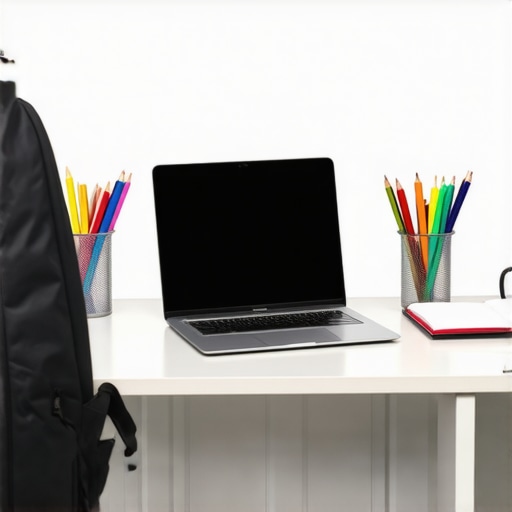
There was a morning last fall when I rushed to pack my son’s backpack, only to realize his old laptop wouldn’t turn on. Panic set in. We had less than an hour before the bus arrived, and every device he owned seemed to be on its last legs. That moment hit me hard—how could so many students, including my own, navigate their homework and lessons without reliable, affordable technology? It made me wonder if I was the only one facing this dilemma or if others were silently struggling with choosing the right budget-friendly options.
Why Picking the Right Student Laptop Can Make or Break Your Back-to-School Experience
Honestly, finding an affordable, dependable laptop isn’t just about saving a few bucks. For students, especially those using Chromebooks or budget laptops, it’s about having the tools they need to succeed. When I first started researching, I made the mistake of focusing solely on price, overlooking important features like durability, battery life, or how well it handled homework assignments. That oversight led to frustration and wasted money. According to a recent study, nearly 60% of students report tech issues that hinder learning—making the right choice crucial.
Is the Hype Around Budget Chromebooks Truly Justified?
Like many parents, I was skeptical. I thought, “Can a cheap laptop really handle a full school year’s worth of assignments?” To be honest, I believed the hype until I realized I was making a common mistake—assuming that a lower price meant lower quality. In fact, with the right research and guidance, I found budget options that are not just reliable but also perfect for homework and online classes. If you’re feeling overwhelmed or doubtful, you’re not alone. Check out this guide that helped me navigate the confusing world of student laptops, even on a tight budget. We’ll explore practical tips so you can avoid costly mistakes and find a device that truly meets your needs. Are you tired of stressing over tech choices? Let’s get started and make your back-to-school prep a little easier.
Assess Your Student’s Needs
Start by listing what your child requires for their coursework. Do they need a device for typing essays, browsing the web, or using specific software? For most students, a Chromebook that handles online tasks with ease is sufficient. Consider whether they need portability for carrying between classes or a durable construction to withstand daily use. I once bought a lightweight Chromebook for my son, which he carried effortlessly, but I realized later it lacked a sturdy hinge—making durability an essential factor.
Set a Realistic Budget and Research Options
Define your spending limit based on your financial situation. Browse reputable sources like the top budget laptops for students to identify devices that balance cost and performance. During my search, I checked reviews and compared models to ensure I wasn’t overspending on features my kid wouldn’t use. Don’t forget to look for sales or discounts, especially during back-to-school periods, where deals often abound.
Focus on Key Features for Classroom Success
Prioritize battery life, processing speed, and storage capacity. A device that can last an entire school day—around 8-10 hours—is ideal. For homework, ask yourself if the laptop can handle multitasking without lagging. I remember testing a budget Chromebook against my son’s needs by running multiple tabs and apps simultaneously; it performed well enough for daily tasks. To avoid surprises, review the device’s specifications thoroughly—especially the CPU, RAM, and screen size—since these directly influence usability.
Compare Different Operating Systems
Chromebooks are popular because they are affordable and web-centric but consider whether a traditional Windows or even a Linux-compatible laptop better suits your child’s workflow. I once opted for a budget Windows device after realizing my daughter needed certain offline software not available on Chromebooks. For a clear comparison, check out this guide to understand the differences. Remember, the choice should match your student’s study habits and the type of assignments they’ll have.
Test Before Buying or Opt for Reliable Sellers
If possible, visit a store to handle the device physically. Assess its weight, keyboard comfort, and screen clarity. Alternatively, purchase from trusted online retailers with good return policies. A friend of mine bought a second-hand budget laptop, only to find the keyboard was unresponsive. Learning from that, I prioritized vendors with positive reviews and clear warranty coverage—something you can learn more about in their privacy policy. This step helps prevent remorse and ensures you choose a device backed by support.
Configure and Protect the Laptop
Once purchased, set up essential security features—install antivirus if needed and enable password protection. Create a user account for your child and set parental controls if necessary. During my initial setup, I enabled safe browsing extensions and organized apps into folders for easier access. Regularly update the device’s software and educate your child on safe usage practices, which minimizes technical issues and extends the device’s lifespan.
By following these steps, you transform the overwhelming process into a manageable task. Remember, the perfect device balances your budget, your child’s needs, and durability—making the school year smoother for everyone.
 Many parents and students believe that opting for the cheapest laptop guarantees savings and functionality, but this is a misconception worth challenging. In my experience, focusing solely on price can lead to overlooked nuances that impact long-term usability. For instance, many rush into buying a low-cost Chromebook without considering its compatibility with offline software or future upgradeability, often leading to frustration mid-year. According to industry experts, choosing a device based purely on initial cost neglects essential factors like build quality and future-proofing, which are critical for sustained academic use. This oversight can become an
How do I maintain my student laptop over time?
Maintaining a budget-friendly device like a Chromebook or simple Windows laptop doesn’t have to be complicated. Personally, I recommend setting up routine maintenance routines and using specific tools to extend your device’s lifespan. First, invest in a reliable antivirus program such as Bitdefender because, in my experience, it offers excellent malware protection without slowing down older hardware. Regularly scanning your system helps catch issues early, preventing costly repairs later. Additionally, keep your device’s software up-to-date; operating system updates patch security vulnerabilities and optimize performance. I schedule these updates weekly, often during weekends when I’m less likely to need the device immediately.
To make maintenance more manageable, I use CCleaner for Windows or built-in storage cleanup tools for Chrome OS, which removes unnecessary files and frees up space—crucial for sluggish devices. Routine disk cleanup and deleting unused files saves you from costly upgrades down the line. I also recommend performing a superficial hardware check every few months, such as ensuring the cooling vents are clear and the battery is holding charge well, which can significantly impact the device’s performance over time.
Looking ahead, the trend in device maintenance seems to lean toward smarter, automated solutions—like self-updating firmware and AI-powered diagnostics—which will simplify care for less tech-savvy users. Experts predict that future devices will even suggest preventative actions before issues escalate, as seen with integrated diagnostics in newer Chromebooks. To stay ahead of the curve, consider trying tools like this recommended maintenance software for proactive upkeep.
Don’t wait until your laptop becomes unresponsive—try setting up automatic updates and scheduled scans today to keep everything running smoothly. Regular preventative care saves you time and money and ensures your child always has a reliable device for homework and online classes.
The Hardest Lesson I Learned About Budget Student Laptops
One of the most eye-opening realizations was that not all affordable devices are created equal. I once thought that choosing the cheapest Chromebook was the safest route, but I learned the hard way that sacrificing build quality and performance can lead to mid-year frustrations. It’s crucial to prioritize durability and smooth multitasking over mere cost savings.
Why Relying on Discounted Deals Can Be Tricky
While sales during back-to-school seasons are tempting, I discovered that a device’s long-term usability matters more than immediate discounts. Sometimes, rushing to buy a device on sale without thorough research results in a gadget that slows down and disappoints. Trustworthy reviews and knowing your child’s specific needs are key to making wise purchases.
The Value of Personal Testing and Trustworthy Sellers
Physical handling of the device and purchasing from reputable sources saved me from future headaches. I learned to test keyboards, screen clarity, and weight firsthand or ensure a reliable return policy. This approach prevents a lot of post-purchase regrets, especially when shopping online with less tangible evaluation options.
Investing in Routine Maintenance Pays Off
Regular software updates, security scans, and hardware checks are simple steps that extend the lifespan of a budget-friendly device. These small but consistent actions ensure your child’s laptop remains reliable throughout the school year, turning it into a worthwhile investment rather than a recurring source of frustration.
Supercharge Your Device Care with Practical Tips
Implementing tools like recommended maintenance apps and following routine setup routines can drastically improve device longevity. Empowering your child with tech habits early on not only keeps their laptop running smoothly but also cultivates responsible device management skills that benefit them long-term.
My Hidden Gem Resources for Smart Tech Choices
- Choosing the Perfect Student Laptop Guide: This comprehensive journey helped me understand what features truly matter, helping me avoid costly mistakes. You can read it to streamline your decision-making process.
- Trusted Reviews on Top Budget Devices: I rely on platforms that objectively compare laptops, ensuring I pick a device that balances performance and affordability.
- Support and Insurance Options: Knowing what support options are available from vendors keeps unexpected repairs manageable, giving peace of mind throughout the school year.
- Expert Tips on Setup and Security: Simple steps like enabling parental controls and installing security software have saved my family from many potential issues.
Your Turn to Elevate Tech Management
Choosing the right student laptop on a budget isn’t just about picking a device—it’s about adopting smart habits and making informed decisions that foster success. Remember, the true value lies in ongoing care and mindfulness, transforming a basic device into a dependable academic partner. Are you ready to take control of your child’s tech setup and ensure they thrive throughout their studies?
What’s been your biggest challenge when selecting or maintaining a student device? Share your experiences below—I’d love to hear your story!