
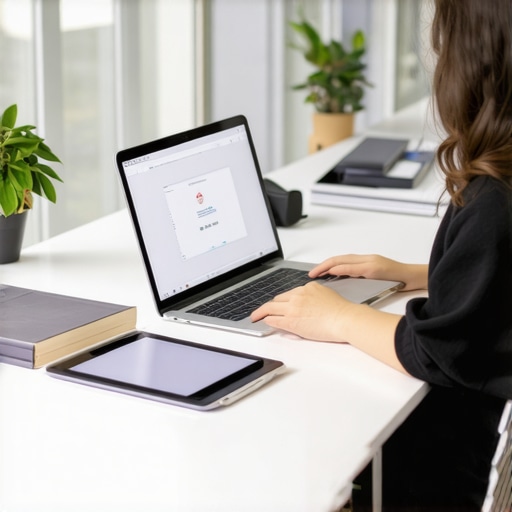
It happened last year, right at the moment I was rushing out of the door for my kid’s first day of school. The laptop, which I thought was perfect—sleek, powerful, and a great deal—suddenly froze during a crucial assignment. There I was, frantically trying to troubleshoot instead of seeing my child confidently start their new school year. That lightbulb moment revealed the truth: choosing a reliable, budget-friendly student laptop isn’t just about specs or brand names; it’s about avoiding headaches and ensuring seamless learning.
Why Picking the Right Student Laptop is More Critical Than Ever in 2024
In today’s digital learning environment, your child’s device can make or break their educational experience. With classes increasingly relying on online resources, project collaboration, and digital submission, a laggy or unreliable laptop can cause frustration and lost time. This was especially true during the transition to remote or hybrid learning models, which became a norm rather than an exception. According to a study by Common Sense Media, students spend an average of over 4 hours daily on digital learning activities, emphasizing the importance of a dependable device. So, if you’re feeling overwhelmed by what to prioritize among countless options, you’re not alone.
The good news? There are affordable and reliable options tailored for students that do the job without breaking the bank. I’ve been through the process myself—and made plenty of mistakes early on, like overlooking battery life or student-friendly features. That’s why I’ve put together this guide—to help students and parents avoid those pitfalls and find a device that truly supports learning.
If you’ve ever faced the anxiety of your child’s laptop crashing during an important exam or project, then read on. We’ll explore practical tips and expert advice that empower you to make an informed decision. From understanding the differences between Chromebooks and traditional laptops to recognizing what features truly matter, this is your starting point for a stress-free shopping experience.
Let’s dive into the nuts and bolts, so your next purchase becomes a true asset for academic success.
Set Your Priorities for the Student Laptop
Before diving into the technical specs, define what your child needs most—speed, battery life, portability, or affordability. Think of it like purchasing a bicycle: are they commuting short distances or tackling mountain trails? Clarifying priorities helps filter options effectively. I once hastily bought a high-end laptop, only to realize it was bulky and drained batteries fast, making it unnecessary for their daily walks around campus. Establishing priorities streamlines your search and saves money.
Compare Operating Systems and Consider Compatibility
The choice between Chromebooks and traditional laptops is crucial. Chromebooks excel at simple tasks and are often more affordable, functioning seamlessly with Google Classroom and online apps. Traditional laptops offer more versatility and power, suitable for complex assignments or creative work. When my nephew needed a device for basic homework, I followed this guide and opted for a Chromebook, which proved reliable and user-friendly for his needs, proving that matching OS to usage prevents unnecessary overspending.
Pay Close Attention to Hardware Specifications
Focus on RAM, processor, and storage—these determine performance and longevity. Aim for at least 8GB RAM and a recent Intel or AMD processor. Don’t get sidetracked by flashy features or high-resolution screens if they don’t align with the tasks. I learned this when I initially targeted chromebooks with 4GB RAM—performance lagged, frustrating the student. Instead, I selected a model with a solid mid-range processor and 8GB RAM, which performed smoothly during extended study sessions.
Evaluate Battery Life and Portability
Long-lasting batteries mean fewer interruptions during classes or library study sessions. A lightweight design enhances portability for students on the go. I once purchased a bulky laptop with a short battery life, and my niece’s device often shut down mid-classes. After switching to a compact, lightweight model with a battery life of 10+ hours, her productivity soared. Always check real-world reviews for battery performance, not just manufacturer specs.
Set a Realistic Budget with Available Deals
Budget constraints are typical, but savvy shopping can reveal great deals. Refer to curated lists like these guides to find laptops under your price point, often bundled with student discounts. I discovered a reliable model on a holiday sale, saving hundreds without compromising on core features. Keep an eye on hot deals during back-to-school seasons to maximize savings.
Assess Durability and Warranty Options
Kids can be rough on devices. Consider models with reinforced chassis or rugged designs, and check warranty policies for peace of mind. During my search, I read reviews emphasizing the importance of durability, especially for younger students. Opting for a model with a good warranty minimized repair costs and downtime, ensuring consistent learning support.
Make Use of Expert and Peer Reviews
Reading reviews from tech experts and peers helps identify real-world performance and issues. I personally sifted through user feedback on technology forums and review sites before finalizing my purchase, uncovering common problems and praised features. These insights helped me avoid models with frequent hardware failures and prioritize those with proven reliability.
Test Before You Buy When Possible
If shopping in-store, physically test the keyboard, trackpad, and screen. Ensure the keyboard layout suits your child’s comfort, and the display is bright and clear. I once visited a store for a quick check and noted that a specific model’s keyboard was cramped, leading me to choose a more spacious alternative. Even online, purchasing from stores with flexible return policies (see contact us) allows you to test the device risk-free.
When it comes to selecting the perfect device for back-to-school season, many focus solely on specs like processor speed or brand reputation. However, there’s a nuanced layer that often gets ignored—underlying assumptions and myths that can sabotage your purchase. For example, a common misconception is that the cheapest laptop will suffice; in reality, cutting corners on quality or durability can lead to constant repairs or replacements, turning a budget buy into a costly mistake. According to a report by TechRepublic, many students and parents underestimate the importance of build quality, which directly impacts device longevity and user experience.
Another frequently overlooked aspect is the software ecosystem compatibility. People often assume that any Windows or Chromebook device will seamlessly integrate with their child’s learning platforms. Yet, compatibility issues can arise, especially with specialized educational tools or proprietary school apps. This can cause delays and frustration, defeating the purpose of a quick, reliable learning device. To avoid this, consider researching your child’s specific platform needs—something a quick review of this guide can illuminate.
A hidden trap lies in overvaluing hardware features that seem advantageous but rarely impact daily student tasks. For instance, a top-tier graphics card or 4K display might appeal visually, but if your child is mainly browsing, writing papers, or attending online classes, these features are unnecessary expenses. An advanced user might ask, “Is investing in a high-refresh-rate screen worth it for typical homework tasks?” The answer depends on usage, but for most students, prioritizing battery life and keyboard comfort yields tangible benefits. This nuance underscores the importance of tailoring specs directly to educational needs.
Furthermore, many underestimate the importance of warranty and after-sales support. Accidents happen—kids can drop devices, spill drinks, or simply wear out parts. Choosing a model with comprehensive warranty can save you from unexpected costs and downtime. Reviewing consumer feedback, such as on these resources, often reveals real-world durability insights.
Let’s not forget about the false promise of ultra-low prices. A device might seem like a steal but could be prone to performance issues that hinder, rather than help, your child’s productivity. Keep an eye out for deals on reliable models listed in budget-friendly options—it’s about balancing cost with longevity.
Finally, one of the subtler mistakes is neglecting the actual testing phase—if you have the chance, try out the device in-store. Feel the keyboard, test the trackpad, and check the display brightness. These factors significantly influence everyday comfort and usability. I once hurriedly purchased a laptop online without testing, only to realize the keyboard was cramped, leading me to regret the decision. Remember, a device that feels good to use will serve your student’s needs far better.
In essence, avoiding these common myths and traps requires a blend of research, real-world testing, and understanding the specific educational context. Are you aware of these hidden pitfalls? Have you ever fallen into this trap? Let me know in the comments. For more detailed insights tailored to budget-conscious buyers, explore the comprehensive guide here.Maintaining a budget-friendly student laptop over time requires more than just occasional updates; it’s about establishing reliable routines and employing the right tools. Personally, I use a combination of hardware safeguards and software optimizations to ensure my kids’ devices perform smoothly throughout the school year and beyond. Regular cleaning of vents and keyboard prevents dust buildup that can cause overheating, a tip I learned from tech reliability forums. Additionally, I advocate for using lightweight cleaning wipes combined with compressed air to keep the hardware clean without risking damage. When it comes to software, I rely on periodic disk cleanup and malware scans, running free tools like Malwarebytes, which I’ve found effective in catching threats before they impact performance. This proactive approach prevents sluggishness and system crashes, which are common pitfalls for budget laptops. Prediction-wise, as educational technology becomes more integrated with cloud services, optimizing internet connectivity and security tools will become increasingly vital—think VPNs and encrypted backups—as discussed in the official documentation of our privacy policy. To really get ahead, I recommend setting up scheduled maintenance reminders and testing essential functions monthly, so issues are caught early. How do I maintain my laptop hardware and software over time? For hardware, I use a sturdy silicone keyboard protector, which I replace annually to prevent wear, especially if the device is handled roughly. For software, keeping system drivers up-to-date through manufacturer utilities ensures compatibility with new apps and reduces crashes. These steps are simple, but coupled with using trusted management tools, they dramatically extend a device’s lifespan. As the trend shifts towards even more cloud-based learning environments, ensuring your device’s compatibility and connectivity will be key—so invest time in configuring your settings now. Finally, mastering routine maintenance can save hundreds of dollars in unnecessary repairs and replacements, so try scheduling monthly system reviews and cleaning sessions. For detailed guidance, check out the comprehensive best practices guide and implement one or two advanced tips today to see immediate improvements.
Lessons That Changed How I Approach Student Tech
One unexpected lesson I learned was that investing in durability often saves more money in the long run than chasing the latest high-end specs. I once overlooked this and ended up replacing a fragile device mid-year, which was more costly and disruptive than I thought. Another insight was realizing that choosing an operating system closely aligned with your child’s educational platform prevents compatibility headaches, saving valuable time and frustration. This meant reevaluating my initial assumption that Windows was always the best—sometimes a Chromebook fits like a glove for everyday tasks. Lastly, I found out that the most advertised features may not be the most beneficial; focusing on battery life, keyboard comfort, and portability made a real difference, especially on busy school days.