
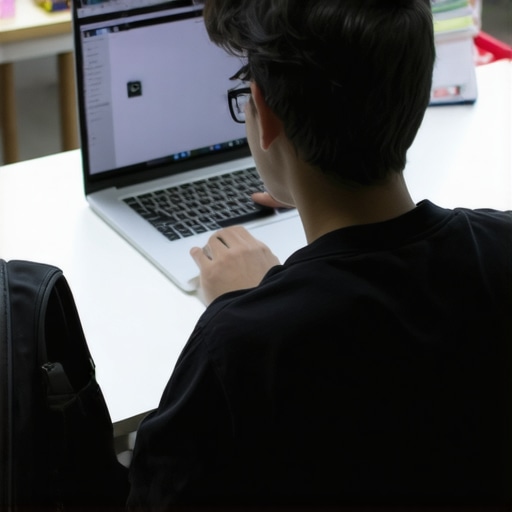
I remember the sinking feeling I had when, just a week before school, my old laptop finally gave out during a crucial assignment. The screen flickered, then went completely black. Panic set in because I needed a reliable device, but my budget was tight. That moment taught me a lesson I’d carry into this new year: choosing the right student laptop isn’t just about price—it’s about finding something dependable that doesn’t break the bank.
Why Choosing the Right Student Laptop Can Make or Break Your Academic Experience
For many students, especially those balancing coursework, extracurriculars, and sometimes a part-time job, a laptop is no longer a luxury—it’s an essential. But with a sea of options out there, from budget Windows laptops to versatile Chromebooks, making the right choice can feel overwhelming. The stakes are high; a slow, unreliable machine can hinder productivity and add stress to already busy schedules.
According to a recent survey, over 60% of students reported that their laptops are crucial for completing assignments on time, and nearly half admitted they’ve wasted hours troubleshooting tech issues instead of studying. This is precisely why I emphasize selecting a device tailored for students’ needs—something affordable, durable, and capable of handling the demands of coursework and online learning.
In this guide, I aim to demystify the process and help you avoid common pitfalls. Have you ever bought a laptop only to find it sluggish or incompatible with your school software? Trust me, I’ve been there. Early on, I made the mistake of prioritizing specs over real-world usability, which led to frustration and wasted money. That experience motivated me to dig deeper and find genuine solutions that work for students on a budget.
Ready to discover the practical steps to choosing your ideal student laptop? Let’s get started and ensure you’re prepared for an efficient, stress-free academic year.
Assess Your Academic Needs
Start by listing the software and tasks you’ll perform regularly, such as writing papers, attending virtual classes, or using specialized apps. Prioritize features that support these activities, like a comfortable keyboard or adequate screen size. Remember, a basic Chromebook might suffice for simple browsing and note-taking, while more demanding software may require a mid-range laptop. Reflecting on my own experience, I initially bought a low-end device thinking it would be enough, but I soon found it sluggish during multitasking, pushing me to upgrade and invest in a more reliable machine, which paid off in productivity.
Set a Realistic Budget
Determine how much you can comfortably spend without straining your finances. Aim for a device priced within the affordable range that still meets your core needs. For example, exploring options like the top budget laptops for students in 2025 revealed reliable devices under $500, offering great value. Avoid overspending on flashy features you won’t use, and keep your focus on durability and performance—two qualities crucial for a student’s daily routine. My first budget laptop’s cheap plastic build caused frequent issues, reminding me that spending a little more on build quality is often worth it.
Research Hardware Specifications
Check for key specs: processor (aim for at least Intel Core i3 or AMD Ryzen 3), sufficient RAM (8GB is ideal), and storage (preferably SSD). These components determine speed and multitasking ability. I once bought a device with only 4GB RAM, which made switching between applications frustrating, especially during exams. Reading reviews and comparing models on sites like the top budget laptops for students in 2025 can guide you toward options that balance price and performance effectively.
Decide Between Chromebook and Traditional Laptop
Understand the core difference: Chromebooks are streamlined for cloud-based tasks and often cost less, making them perfect for simple routines and online homework, as explained in the Chromebook vs. laptop back-to-school comparison. Conversely, traditional laptops run full OS versions, suitable for heavier software. My choice to switch from a Chromebook to a budget Windows laptop mid-semester allowed me to use more complex programs without issues, highlighting the importance of aligning your device choice with your academic workload.
Evaluate Committed Software Compatibility
Confirm that your critical applications work smoothly on your chosen device. For college students using specialized software, a Windows device might be necessary, but for most high school tasks, a Chromebook suffices. I initially underestimated the importance of software compatibility, ending up with an incompatible device during a crucial project. To avoid this, consult your school’s software requirements and check the device compatibility list—details often covered in guides like the ultimate guide to affordable homework student laptops.
Prioritize Durability and Battery Life
Look for laptops with sturdy build quality and at least 8 hours of battery life, ensuring they last through long classes or library sessions. My first budget laptop’s flimsy plastic shell cracked after a few months, so I learned to prioritize sturdiness, even on a budget. User reviews frequently mention battery longevity—choose models praised for reliable battery performance to prevent mid-study power anxiety.
Review Offers, Warranties, and Return Policies
Search for student discounts, seasonal deals, or refurbished options to save money. Always check warranty services and the return policy—these safeguard your investment if issues arise. I once bought a refurbished device during a sale, and although it had minor cosmetic flaws, it functioned perfectly, proving that smart shopping can yield high-value finds. Use trusted retailers with clear policies, like those outlined in best budget laptops for students in 2025.
When shopping for a student laptop, many believe that choosing the cheapest device is the smartest move, but this misconception can lead to costly traps. The common myth is that budget laptops are inherently unreliable or underpowered, yet some budget-friendly models excel if you know what to look for. The real mistake lies in focusing solely on specs without considering build quality, ecosystem compatibility, or long-term durability. For example, opting for a device with a low-resolution screen or weak chassis might save money upfront but can cause eye strain or damage over time, leading to more expenses.
A less obvious nuance is the importance of understanding the software ecosystem. Chromebooks are often dismissed as only suitable for light tasks, but with the right apps and extensions, they can be powerful homework machines. That said, many overlook the fact that certain advanced software used in colleges or specialized fields may not run smoothly on Chromebooks, emphasizing the need to assess software compatibility carefully. To dig deeper into the differences, check out the detailed comparison of Chromebook vs. laptop [here](https://student.laptopbuyersclub.com/chromebook-vs-laptop-which-is-best-for-back-to-school).
Another trap to be wary of is undervaluing battery life and portability. A cheap device might have impressive specs on paper but could fall short in real-world scenarios where a student needs to stay productive during long classes or library sessions. User reviews often highlight that battery performance is a critical factor, sometimes more so than raw power.
Lastly, many assume that refurbished or used laptops are inherently risky. While caution is necessary, reputable refurbishers perform rigorous testing and offer warranties, making them a savvy choice for budget-conscious students. As a rule, always review return policies and warranty options, which can provide peace of mind. For tips on smart shopping, visit the guide on affordable homework laptops [here](https://student.laptopbuyersclub.com/best-homework-laptops-for-students-on-a-budget-in-2025).
Let’s not forget the importance of what’s underneath the hood. A quick glance at specs isn’t enough; understanding how processor speed, RAM, and storage type work together can make or break your experience. For in-depth advice on hardware, browse the comprehensive specs guide [here](https://student.laptopbuyersclub.com/ultimate-guide-to-affordable-homework-student-laptops-for-college-school). Remember, a well-chosen budget laptop isn’t just about saving money—it’s about investing in a device that truly supports your learning journey.
Have you ever fallen into this trap? Let me know in the comments and share your experience or questions about choosing the right budget student laptop!
Maintain Your Student Laptop Effectively for the Years Ahead
Investing in a budget-friendly device is just the first step—keeping it running smoothly over time requires deliberate maintenance and the right tools. Personally, I rely on specific software and practices that extend my laptop’s lifespan and ensure reliable performance during critical study sessions. Regularly updating my operating system and drivers, for instance, patches security vulnerabilities and optimizes hardware efficiency, which is essential in avoiding unexpected crashes or slowdowns. When it comes to cleaning, I swear by a soft microfiber cloth and compressed air to prevent overheating caused by dust accumulation, a simple yet often overlooked maintenance step that can improve longevity.
I’ve found that using monitoring tools like HWMonitor provides real-time insights into CPU and battery health, alerting me to potential issues before they become severe. Additionally, I schedule periodic disk cleanup and defragmentation (for HDDs) to maintain swift file access speeds. For SSD-equipped devices, I use TRIM commands, which are typically automated but can be manually initiated if needed, ensuring fast data writing and reading—a crucial factor when juggling multiple homework assignments.
How do I maintain my device’s performance over time?
Consistency is key. Set weekly or bi-weekly routines to check for software updates, perform disk cleanup, and review battery health. I also limit the installation of unnecessary applications that can bloat system resources. Using lightweight extensions and apps, especially on Chromebooks or budget Windows devices, helps keep performance snappy. For example, I use extensions that block ads and unnecessary scripts to speed up browsing—an often overlooked optimization for online research or submitting assignments.
Thinking ahead, trends like automated maintenance scripts or AI-powered diagnostics are on the rise, promising even smarter device care in the future. For now, developing a disciplined routine using reliable tools is your best bet. I encourage you to try automating your system updates and disk cleanup processes to save time and reduce oversight. These small but powerful steps can dramatically improve your device’s dependability through the academic year. Remember, a well-maintained laptop isn’t just about avoiding frustration—it’s about maximizing your learning potential without interruptions.
The Hidden Lessons That Changed My Approach to Student Laptops
One of the most valuable insights I gained was realizing that spending more doesn’t always mean better. I once splurged on a flashy, high-end device that looked impressive but lacked durability and real-world usability. The lightbulb moment happened when it failed after a few months, forcing me to reevaluate my priorities. Now, I focus on durability, battery life, and real-world performance over specs that sound impressive but don’t serve my daily needs. This shift in mindset has saved me money and stress, enabling me to choose laptops that genuinely support my academic journey without breaking the bank.
Gear Up with Trusted Resources and Tools
Over time, I’ve found that leveraging the right resources makes all the difference. For practical advice, I often turn to the Ultimate Guide to Affordable Homework Student Laptops which offers comprehensive comparisons tailored for students. For hardware insights, this trusted guide breaks down essential specs into understandable terms. Additionally, I rely on review sites like Best Budget Laptops for Students in 2025 to spot the best deals. These tools have helped me make smarter decisions, saving money while ensuring my device meets all my academic needs.
Channel Your Inner Tech Enthusiast and Take Action
Your journey with budget student laptops is just beginning. Remember, a well-chosen device paired with mindful maintenance can boost your productivity and confidence throughout the school year. Don’t shy away from researching, asking questions, and experimenting with different setups. Your ideal student laptop is out there, waiting to support your unique learning style while respecting your budget. Embrace the challenge, commit to regular device upkeep, and watch how it transforms your approach to homework and online classes. It’s not just about buying a device—it’s about investing in your success and confidence for years to come.
Reading this post really resonated with me because I faced a similar situation last year when my laptop crashed right before finals. It’s so true that choosing the right student laptop isn’t just about saving money; it’s about reliability and fit for your daily tasks. I’ve learned that focusing on specs like a solid processor and enough RAM, coupled with durability features, really makes a difference in the long run. I also found that having at least 8 hours of battery life is crucial when I spend long hours on campus or in the library. My experience aligns with the advice here on balancing budget with essential features. One thing I’d love to hear from others is how they manage software compatibility—have you found a good way to ensure your device can run all your necessary applications without issues? It’s such a vital consideration to avoid surprises during busy school weeks.
Reading through this detailed guide really reminded me of when I was shopping for my first college laptop. I used to think that spending a little extra on specs like RAM and processor was enough, but I quickly learned the importance of build quality and battery life. I ended up with a budget machine that struggled with multitasking and couldn’t last through long classes, which was frustrating. Over time, I realized that durability and good battery performance are just as crucial—especially when you’re constantly on the move or studying in places with limited charging options. For those still unsure about software compatibility, my tip is to double-check your school’s recommended applications early and try to test run them on potential devices if possible. Have others found effective ways to verify that large or specialized software will work smoothly before making a purchase? Also, what are your thoughts on refurbished laptops—are they a good investment for students on a budget? Would love to hear everyone’s experiences with both new and refurbished models.