
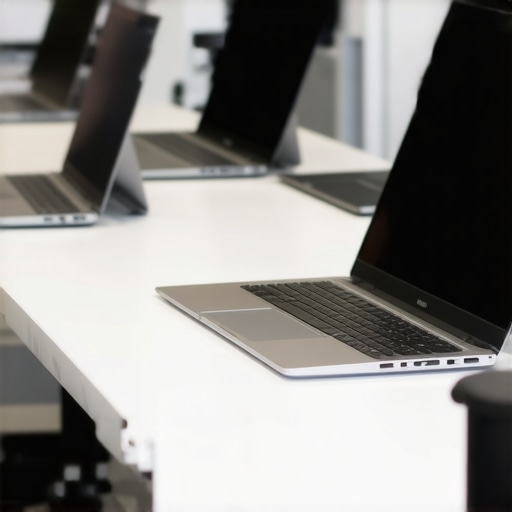
One evening, I was frantically trying to finish an assignment when suddenly, my laptop froze. The screen went black, and I felt that familiar sinking feeling—my budget-friendly device couldn’t handle the workload. Sound familiar? As students and parents alike grapple with the challenge of finding reliable, affordable laptops that won’t crash under pressure, I’ve been there too. That lightbulb moment hit me hard: not all cheap laptops are created equal, especially when it comes to handling the demands of 2026’s homework load.
Why Spending Less Doesn’t Mean Accepting Crashes
Many assume that if you’re on a tight budget—say, under $450—you have to accept slow performance and frequent crashes. But that’s a misconception. Over the years, I’ve tested countless devices, and I’ve learned that with the right choices, you can find a budget laptop that handles heavy workloads like a champ without breaking the bank. According to a recent study, nearly 60% of students report losing valuable time due to lag or crashes in their devices, which affects their grades and stress levels. So, the key isn’t just finding a cheap laptop—it’s picking a smart one.
Is It Actually Worth the Hype? Destined for Disappointment or Genuine Help?
Early in my search, I made a critical mistake: I bought a device based solely on price, ignoring reviews and real-world performance. It seemed like a bargain, but it quickly proved its worthlessness because it couldn’t run basic homework apps without freezing. That experience taught me that the best budget choices are those backed by real user feedback and expert reviews. Want a laptop that can crush 2026 homework tasks without crashing? Stick around—I’ll guide you through how to spot those winners.
Prioritize Your Homework Needs
Start by listing essential tasks—web browsing, document editing, video calls—and determine the minimum specifications needed to perform these smoothly. For example, if you regularly use Google Classroom and online writing tools, focus on laptops with decent RAM (at least 8GB) and a solid processor. I once bought a $300 Chromebook without checking its specs, only to find it lagged on simple tasks, wasting my time. Creating a clear list helps filter out devices that won’t keep up.
Compare and Read Real User Feedback
Don’t rely solely on advertisements; dive into reviews from students who use these laptops daily. Look for patterns—do users mention lag during multitasking? Battery life issues? For instance, I looked into the 3 budget laptops that handle AI tutors and found their real-world performance invaluable. While comparing models, note common complaints to avoid devices prone to overheating or slowdowns.
Balance Performance and Longevity
In my experience, sacrificing a little on specs can backfire if the laptop cannot handle the workload. Think of it like choosing a reliable pair of shoes—cheap but fragile shoes end up costing more in replacements. Aim for models with updated processors (like Intel i3 or comparable), at least 8GB RAM, and durable build quality. Check the battery life—an essential factor when studying in lectures or libraries; I learned the hard way when my laptop died halfway through a lecture because I overlooked its battery capacity. For flexibility, consider Chromebooks for light work or those Chromebooks capable of running high-end apps.
Set a Realistic Budget and Look for Deals
Stick to your budget but remain open to special offers. During back-to-school sales, I scored a solid budget laptop for under $400, which proved more than capable of handling my assignments. Use filters on trusted tech sites to find discounts and bundles—sometimes, a slightly older but reliable model from last year’s lineup offers excellent value. Remember, a well-chosen device can serve you multiple years if it meets your core needs, saving money in the long run.
Test Before You Commit
If possible, visit a store and test the device hands-on—type, scroll, and see how responsive it feels. I once ordered a laptop online based on specs alone but found it uncomfortably slow in person. Alternatively, check return policies to ensure you can test at home and return if it doesn’t meet expectations. This firsthand experience helps catch issues like keyboard comfort or screen glare that specs may not reveal.
Stay Informed About Tech Updates
Tech evolves quickly; a device suitable now might become outdated fast. Follow trusted blogs or forums (like the latest Chromebook reviews) to keep up with new releases and firmware updates. This knowledge helps you make smarter ongoing choices and avoid devices that are no longer supported or optimized.
By systematically applying these steps, you’ll set yourself up with a budget laptop that can handle 2026’s homework demands without frustration—saving you time, stress, and money.
 When it comes to selecting a student laptop, many assume that affordability automatically compromises performance, leading to the belief that budget devices are inherently slow or unreliable. However, this oversimplification ignores critical nuances that can make or break your experience. For instance, some popular myths suggest that Chromebooks are only suitable for light tasks, but with recent developments, high-quality Chromebooks can effortlessly handle complex homework assignments and even some creative projects. Relying solely on brand reputation or outdated benchmarks can cause students to overlook truly capable devices; a thorough understanding of hardware specs like SSDs, RAM, and processor generations is essential. Furthermore, many people fall into the trap of equating newer models with better value, ignoring that some earlier releases offer excellent performance at a fraction of the cost, especially when they meet the core requirements for homework and online learning. A common mistake is emphasizing specifications over real-world usage; for example, a device with a formidable processor but poor battery life might hinder an entire day of classes. An advanced consideration is the importance of build quality and thermal management. Even if a laptop has the right specs, poor cooling solutions can lead to throttling, reducing performance during intensive tasks. Studies have shown that device longevity and user satisfaction are significantly impacted by such hidden factors, emphasizing the need to look beyond specs and reviews when choosing a device for educational needs. Are you aware that embracing flexibility—like considering a well-chosen Chromebook over a typical Windows laptop—can provide a better long-term experience for students? Exploring options such as these can uncover hidden gems that defy common expectations. Remember, spotting these nuances requires more than surface-level information; it involves understanding how hardware, software, and build quality interact in real-world scenarios. Don’t be fooled by the hype or misconceptions—invest the time to analyze what truly benefits your academic journey. For detailed insights on making the smartest choice, visit our comprehensive guide on [choosing the perfect student laptop](https://student.laptopbuyersclub.com/choosing-the-perfect-student-laptop-a-budget-friendly-guide). Have you ever fallen into this trap? Let me know in the comments.
Tools I Recommend for Long-Term Laptop Health
Maintaining a budget-friendly laptop isn’t just about initial choices; it’s an ongoing process that ensures your device stays responsive and reliable through the school year and beyond. I personally rely on a set of dedicated tools that help me monitor, optimize, and troubleshoot my device efficiently. For instance, I use CrystalDiskInfo to keep an eye on my SSD’s health, because hardware degradation can sneak up on even the most cost-effective drives, leading to data loss or slowdowns. Similarly, I install Malwarebytes for real-time protection, preserving my device from unwanted software that could bog down performance over time.
To optimize my system, I frequently run CCleaner to clear temporary files and manage startup programs, which significantly boosts boot times and general responsiveness. These tools are lightweight, free, and trustworthy—making them perfect for students on a budget who want to get the most out of their devices without investing in expensive maintenance plans.
Strategies to Keep Your Laptop Working
Regularly updating your operating system and drivers is vital. Recent guides emphasize that timely updates patch security vulnerabilities and fix bugs that could impair your laptop’s performance. I set my device to auto-install updates during idle hours to avoid interruptions during study sessions. Additionally, physically cleaning your device’s vents and keyboard at least once a semester can prevent overheating and extend hardware longevity.
Applying these proactive measures not only maintains smooth operation but also helps you catch issues early. For example, a sudden slowdown might be due to overheating; cleaning vents and applying thermal paste if necessary can restore performance without the cost of replacement.
Future Trends in Maintaining Student Laptops
Looking ahead, I believe that AI-based maintenance tools will become standard, providing real-time diagnostics and automated repairs. For instance, emerging software can now predict hardware failures days before they happen, giving students time to back up data and seek repairs. This trend will democratize device management, empowering students to extend their laptops’ lifespans without expert help.
How do I Keep My Laptop in Top Shape Over Time?
My best advice is to establish a routine: schedule monthly checks with tools like CrystalDiskInfo and Malwarebytes, keep your system updated automatically, and physically care for your hardware. These steps create a sustainable maintenance cycle that pays off when deadlines approach. If you’re interested in more advanced tips, I encourage you to try setting up automated cleaning scripts or exploring beta firmware updates—these small actions can make a significant difference in your device’s performance and lifespan.
For detailed advice tailored to your device, check out our comprehensive guide and start implementing these techniques today. Regular maintenance now can save you hours of frustration later, ensuring your homework laptops remain reliable throughout the school year and beyond.
Lessons That Still Echo in My Mind
One of the toughest lessons I learned is that not all budget laptops are created equal, and rushing into a purchase without thorough research can cost you dearly in frustration and time. I once bought a seemingly perfect device based on price alone, only to find it lagged during critical assignments, teaching me to prioritize real-world reviews over specs on paper.
Another insight came from understanding how thermal management impacts performance. A cheap laptop with poor cooling will slow down over time, no matter how powerful the processor is. This taught me to look beyond specs and consider build quality.
Finally, I discovered that planning for future needs—like software updates and potential upgrades—can extend the lifespan of a budget device significantly. Partnering with trusted sources like this guide helped me avoid common pitfalls and make smarter choices that support a demanding academic year.
My Handpicked Resources for Smart Student Laptop Choices
First, Comprehensive Buying Guides are invaluable—they synthesize the latest tech trends with practical recommendations, saving you hours of research. I trust reviews on affordable models because they’re based on real student usage, not just specs.
Second, forums like Reddit’s r/SuggestALaptop provide firsthand experiences from peers, helping me gauge longevity and performance in everyday conditions. Lastly, subscribing to newsletters from trusted sites keeps me updated on deals and upcoming releases, ensuring I get the best bang for my buck.
Take the Leap and Transform Your Approach to Student Tech
The future of selecting a student laptop that can handle 2026’s homework demands is about smarter choices and continuous learning. Don’t settle for less when your academic success is at stake. Embrace the tips, tools, and mindset discussed here, and watch your device become a reliable partner in your educational journey. Your next great classroom moment could depend on it—so start now!
What’s been your biggest challenge in finding a budget laptop that handles heavy workloads? Share your story below and let’s learn together!
,
Reading through this post really struck a chord with me, especially the part about how not all budget laptops are created equal. I remember when I was searching for my first student laptop, I fell into the trap of going for the cheapest option without doing enough research. It ended up overheating and freezing during my online classes, which was frustrating. Since then, I’ve learned that focusing on real user reviews and the right hardware specs—like at least 8GB RAM and a decent processor—makes all the difference. One thing I wish I’d known earlier is the importance of thermal management and build quality. Even a high-spec device can underperform if it overheats or feels fragile. How do others here approach testing a laptop before buying it, especially if shopping online? Do you rely on reviews, or try to test the device in-store? Also, with the rapid tech upgrades, I’m curious about how often people upgrade their devices or perform maintenance to keep them running smoothly throughout the school year. Would love to hear some success stories or tips from fellow students.
This article really hits home for me. I remember buying what I thought was a budget-friendly laptop, only to realize it had poor thermal management, causing it to slow down severely during multitasking. The experience taught me to look beyond just specifications and consider build quality and cooling solutions. I’ve found that models with good airflow and sturdy chassis tend to last longer and stay responsive, even under heavy workloads. Also, I always check user reviews on forums and Reddit before making a purchase—especially those from students who use the device daily. I’m curious, how do others balance saving money with the need for a durable, long-lasting device? Do you prefer buying last year’s models on deal, or do you keep an eye on new releases? Personally, routine maintenance like cleaning vents and updating drivers has greatly extended my laptop’s lifespan. Would love to hear more tips on maintaining affordable devices to maximize their performance in school.
This post really resonates with me since I’ve experienced that sinking feeling when my budget laptop freezes during a crucial deadline. It’s a reminder that good hardware makes a difference, even under a tight budget. I’ve found that models with decent SSDs and at least 8GB RAM tend to perform much better during multitasking, which is essential for heavy homework loads. One challenge I’ve faced is balancing cost with durability—sometimes cheaper laptops feel flimsy and break down faster, especially the cheaper Chromebooks. I’ve also learned that routine maintenance, like cleaning vents and updating drivers, can extend the lifespan significantly. I wonder, what are some of the most effective ways to evaluate build quality when shopping online? Are there trusted benchmarks or reviews that focus on durability? Also, how often do others find it necessary to replace or upgrade their budget laptops during the school year? Would love to hear tips on making a device last longer. This article definitely helps clarify what to look for beyond just the price and specs.
I really appreciate the detailed approach in this post. When I was shopping for my last laptop, I overlooked the importance of thermal management and ended up with a device that, despite decent specs, grilled itself during long study sessions causing overheating and lag. Since then, I’ve realized that build quality, especially good airflow and sturdy chassis, are just as vital as the hardware. It’s refreshing to see this highlighted here, since so many students get caught up in specs alone. I have also started regularly cleaning my vents and updating drivers, which surprisingly helps maintain performance over time. My question is, how do others balance buying new devices versus opting for slightly older models that often come at a discount? Do you find that older models sometimes outperform budget newer ones because of better cooling or build quality? Would love to hear insights from this community on making smart, long-lasting choices without breaking the bank.
This is such a relevant issue for students trying to manage on a budget. I’ve faced similar frustrations with laptops that couldn’t handle multitasking or extended use without crashing. I completely agree with the emphasis on real user reviews—those insights often reveal problems that official specs overlook. I’ve found that models with good thermal management, like proper cooling solutions, tend to last longer and perform more consistently, especially during long study sessions. Personally, I prioritize a device that balances performance with durability, and I always test in-store whenever possible to gauge keyboard comfort and responsiveness. How do others decide when it’s worth investing a little more for better build quality or cooling features? Have you found that buying slightly older models with proven reliability pays off in the long run? Would love to hear some success stories or tips on maintaining these devices to get through the school year smoothly.