
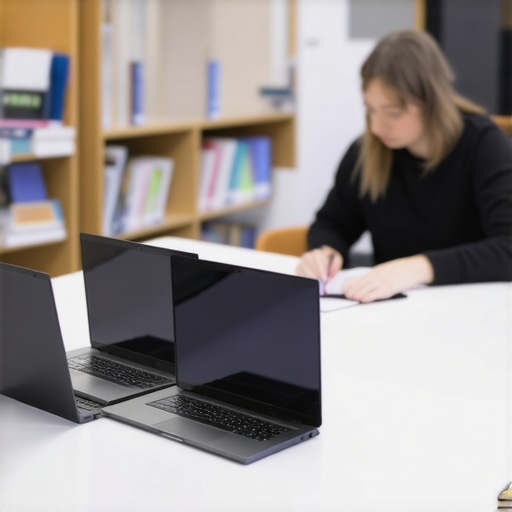
I remember the exact moment I realized my last student laptop was a lost cause. It was mid-lecture, and suddenly, my device froze—again. The screen flickered ominously, and I could feel my frustration mounting. That cheap, seemingly perfect deal I had jumped on a year ago? It was already giving out. But here’s the thing—I wasn’t alone. Many students, just like you and me, have faced the same dreaded scenario: buying a budget laptop that promises the world but ends up crapping out exactly when you need it most.
Why Finding a Reliable Budget Laptop Is a Back-to-School Hack You Can’t Miss
Every September, students scramble to find tech that can handle homework, online classes, and maybe even a bit of gaming—to say nothing of durability. It’s frustrating because, despite the endless options, most laptops that cost around $300 tend to be cheap trash. They might run for a few months, maybe a semester, before slowing down or outright dying. I’ve learned this the hard way, and I bet many of you have too.
But I promise, there is hope. Today, we’re going to explore how to identify *actual* reliable student laptops in the budget range—those that won’t leave you stranded midway through your semester. Think of it as your secret weapon for tackling the 2026 school year without worries.
Are you tired of replacing your device every year? Have you ever invested in a flashy deal only to be disappointed when it couldn’t keep up with assignments? You’re not alone, and I understand the frustration firsthand. Early on, I made the mistake of dismissing reviews before doing thorough research, leading me to buy a laptop that couldn’t handle basic tasks. That mistake cost me time, money, and headaches.
But with a little guidance, you can avoid that pitfall. We’ll walk through specific tips, real-world recommendations, and what to look for in a budget-friendly device. Want to make sure your next laptop actually lasts? Keep reading, because the solution is closer than you think. For deeper insights, check out our detailed guide on how to pick the perfect student laptop.
Set a Clear Budget and Priorities
Begin by defining your maximum spending limit, ideally between $300 and $600 for a dependable device. Decide what matters most: battery life, performance, portability, or durability. For instance, if you need a lightweight device for commuting, prioritize a compact design with long battery life. When I bought my first budget laptop, I realized I had to sacrifice some features to stay within my budget, but focusing on key priorities helped me narrow down options efficiently. Check our top budget picks.
Research and Read Real User Reviews
Don’t rely solely on specifications; look for user reviews and experiences. Pay special attention to reviews from students who use laptops for similar tasks—writing essays, online classes, browsing, and light gaming. For example, after reading multiple reviews praising a certain Chromebook for its long battery and fast performance, I felt confident making that my choice. Avoid models with common complaints about slow speeds or overheating.
Prioritize Chromebooks and Lightweight Windows Laptops
Chromebooks often offer excellent value for students, especially for homework, note-taking, and browsing. They’re usually more affordable than Windows laptops and handle online tasks seamlessly. For lightweight Windows laptops, look for models with at least an Intel Core i3 or AMD Ryzen 3 processor, 8GB of RAM, and SSD storage for speed. I once tried a $299 Chromebook for a semester, and it handled all my online homework without issues—saving me money and stress. Learn why Chromebooks are popular in 2026.
Focus on Essential Specs That Matter
For homework and school use, prioritize these specs: an 11-13 inch display for portability, a solid-state drive (SSD) for quick boot-up and application loading, at least 8GB of RAM, and a battery life of 8 hours or more. Avoid unnecessary features like 4K screens or gaming graphics, which inflate costs without benefiting typical student tasks. I damaged a budget laptop when I tried to run heavy photo editing, so sticking to specs suited for schoolwork saves time and money.
Test Before You Buy or Buy Smart with Return Policies
If possible, test the laptop in-store or buy from retailers with a flexible return policy. This way, if performance isn’t up to par after setup, you can return or exchange easily. For online purchases, ensure the seller offers at least a 14-day return window. I once received a laptop that lagged under multitasking; having a 30-day return window saved me from a bad investment. Always verify return policies to avoid regrets. For more detailed tips, visit testing and return strategies.
Balance Price with Longevity and Reliability
Invest in reputable brands known for durability, like Lenovo, Asus, or Acer. Avoid no-name off-brand models that might seem cheap but often fail quickly. Look for reviews mentioning build quality and customer support. I chose an Asus Chromebook that lasted through two school years without significant issues—proof that spending a little more on a trusted brand extends your device’s lifespan. Reliable hardware prevents headaches and the need for premature replacements. For latest recommended models, see top reliable options.
Many students and parents assume that bigger budgets or brand names guarantee the best experience for back-to-school laptops, but this isn’t always true. A common myth is that Chromebooks are unreliable or only suitable for light tasks, yet recent studies, including insights from tech experts, show that Chromebooks can handle demanding academic applications when chosen correctly. The real nuance lies in understanding that specifications aren’t everything; compatibility with specific software and the quality of hardware support are crucial. Overlooking these factors can lead to investing in a device that quickly becomes obsolete or fails under pressure. For instance, many believe that more RAM automatically equals better performance, but in budget laptops, balancing RAM with processor speed and SSD capacity matters more. Missing this can result in frequent slowdowns, especially during multitasking. Be wary of the trap where shoppers focus solely on raw specs, neglecting brand reputation and user feedback. Some lesser-known brands now produce surprisingly durable and efficient devices that outperform generic options. Additionally, many assume that high-resolution screens improve productivity; however, they often cost more, drain batteries faster, and aren’t necessary for most homework tasks, which can be better served by 1080p displays. Make sure you also consider the build quality and customer service reputation. A device that’s easy to repair or exchange can save money in the long run. To get a deeper understanding of choosing the right device, check out our guide on how to pick a perfect student laptop. Have you ever fallen into this trap? Let me know in the comments.
Essential Maintenance Tips for Long-Term Reliability
To ensure your back-to-school laptop remains a dependable tool, regular maintenance is key. I personally schedule weekly disk cleanups and malware scans using tools like Malwarebytes to keep my device secure. Additionally, keeping your operating system and drivers up to date not only improves performance but also patches security vulnerabilities. For Chromebooks, Google updates are automatic, but for Windows or Linux-based laptops, checking for updates every two weeks prevents lag and crashes.
How do I maintain my student laptop over time?
Implement a routine that involves hardware checks—clean the keyboard and vents with compressed air every month to prevent overheating. Also, organizing your files and deleting unnecessary data reduces clutter that can slow down your device. I recommend backing up files weekly to cloud storage services like Google Drive or OneDrive to prevent data loss, especially during unexpected failures. Using BatteryCare on Windows laptops helps monitor battery health, extending its lifespan, which is crucial for busy school days.
Tools I Trust for Keeping Things Running
Beyond built-in utilities, I rely on CCleaner to optimize system performance by removing junk files and unnecessary startup programs. For Chromebooks, verifying app permissions regularly ensures that malicious or unnecessary access is revoked. A quality external drive, like the Samsung T7, is invaluable for quick backups of important assignments. Personally, I rotate my laptop’s power settings — switching between high-performance mode for assignments and energy saver for commuting — to maximize longevity and efficiency.
Scalable Solutions for Growing Student Needs
As your workload increases, consider upgrading RAM or switching to SSD storage if your budget allows. The trend is moving toward more modular laptops that make upgrades accessible; for example, recent models from trusted brands now offer easy RAM access, prolonging device relevance. Regularly reviewing your device’s specifications against upcoming software requirements will save you time and money.
Future-Proof Your Homework Companion
Trend prediction suggests increased integration of AI-assisted diagnostics for maintenance, which will alert you to hardware or software issues before they escalate, just like expert diagnostics from Academic Tech Blog. To get ahead, experiment with automatic system cleaning scripts or scheduling periodic hardware scans. For example, setting up a weekly cron job to clear temporary files and check disk health keeps everything smooth without manual intervention. Trying this proactive approach can significantly reduce downtime in the busy school year.
For detailed guidance on protecting your device, check out our comprehensive guide. Remember, a little maintenance goes a long way. For the tech-savvy student, automating these tasks with scripts is a game-changer—give it a try and experience fewer tech headaches during your studies.
The Unexpected Lessons From My Budget Laptop Journey
One of the most valuable lessons I learned was that not all budget laptops are created equal. Small compromises in build quality or specs can lead to major frustrations during crucial exam periods or project deadlines. I also realized that trusting flashy advertisements without real user feedback is a quick way to sink your money into a flawed device. Lastly, understanding the importance of reliable customer support and update policies turned out to be game-changers in maintaining long-term usability.
My Essential Toolkit for Back-to-School Laptop Success
Over the years, I’ve relied on tools that keep my device running smoothly, like CCleaner for junk removal, privacy settings audits to safeguard my data, and a durable external SSD for backups. These tools have become my trusted allies, ensuring I can focus on learning instead of troubleshooting.
Your Turn to Embrace the Right Tech for Success
Choosing the right budget laptop for school isn’t just about saving money—it’s about investing in a device that empowers your educational journey. Do your research, prioritize durability and performance, and don’t shy away from seeking advice from seasoned students or tech experts. Remember, the right device can make your academic experience more enjoyable, efficient, and stress-free. So, what’s your next step toward a dependable back-to-school laptop? Share your thoughts below and let’s grow together in this tech journey!
Reading this post really resonated with me—I’ve also had my fair share of budget laptops that just couldn’t keep up during midterms or important project deadlines. It’s frustrating to think you’re saving a few bucks only to spend more replacing or repairing devices later. The emphasis on reading user reviews and understanding actual performance rather than just specs is so crucial; I’ve learned that the hard way too. One thing I’ve found helpful is focusing on brands with good customer support and warranty services, especially for budget options, because when something does go wrong, having reliable support makes all the difference. I also wonder, with so many options now, how do you all balance the desire for portability versus battery life? Do you think Chromebooks truly hold up for more demanding coursework, or are Windows laptops becoming a better choice for students needing more power? Would love to hear others’ experiences!
This article hits so close to home for many students, including myself. I’ve learned that while budget laptops are tempting, relying solely on specs can be a trap — especially when it comes to performance and longevity. From my experience, brands like Lenovo and Acer have provided reliable options that balance price and durability, but I always make sure to check user reviews before purchasing. The tip about testing in-store or understanding return policies is especially important; nothing beats the ability to verify performance firsthand or have peace of mind with a flexible return window. Also, I find that maintaining the device—like cleaning vents regularly and updating software—can extend its lifespan considerably. I wonder, for someone who needs a device for both light gaming and schoolwork, what’s the best way to balance those needs without overspending? Overall, investing in a trusted brand and taking maintenance seriously seems key for ensuring my laptop serves me through the entire school year and beyond.