
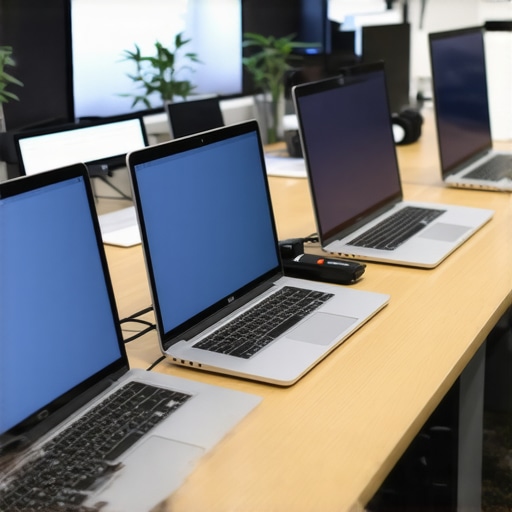
I remember the exact moment I realized my old laptop just wasn’t keeping up during my college years. It was late at night, halfway through a demanding coding assignment, when my screen froze for the third time. Frustration boiled over—my system was supposedly good enough, yet it felt like it was holding me back. That lightbulb moment made me question: what really matters when choosing a budget laptop for rigorous college work? Today, I want to help you cut through the confusion and find a device that won’t leave you stranded during finals week.
Why Choosing the Right Laptop Is More Critical Than Ever
In 2026, the stakes for student laptops are higher than ever. With nearly every course relying on resource-intensive apps and online platforms, your device’s specs can make or break your semester. A common misconception is that newer, expensive models are the only way to go. But with thoughtful choices, even a budget laptop can handle demanding tasks—and that’s the promise I want to explore.
Want to know if budget laptops with 16GB of RAM are enough for your workload?
Early in my journey, I made the mistake of prioritizing looks over performance—buying a stylish but underpowered machine. That ended up costing me more time and stress. Trust me, understanding what your laptop can handle—and what it can’t—is essential. I’ve learned that with the right specifications, like a decent processor and sufficient RAM, budget options can shine. The good news? Many affordable laptops now come with 16GB RAM, which is increasingly becoming the standard for student comfort and efficiency.
If you’re unsure whether your prospective device can keep pace with your coursework—say, running multiple Chrome tabs, student apps, or even AI-powered tools—you’re not alone. Take a moment to assess your typical tasks. For more insights on this, check out why 16GB RAM is crucial in 2026.
In the following sections, we’ll dive into the top five budget laptops that are perfect for students in 2026—devices that balance affordability, reliability, and performance. Ready to discover which one is right for you? Let’s get started.
Identify Your Key Tasks and Priorities
Before diving into specific models, clear understanding of your usual activities helps narrow down options. For example, if your coursework involves heavy multitasking, video editing, or running AI tutors, prioritize laptops with at least 16GB of RAM and a decent processor. Think of your laptop like a multi-tool: knowing what tools you need most ensures you pick the right device. I once assumed a lightweight chromebook would suffice for all exams, but when I tried running my coding apps, it lagged badly—highlighting the importance of matching specs to tasks. To get a better grip on what your workload entails, review your typical tasks and consult our detailed guide on how to pick a Chromebook for homework.
Compare Operating Systems and Form Factors
Choose whether a Chromebook, Windows laptop, or even a lightweight MacBook fits your needs. Chromebooks often outperform budget Windows laptops in speed for basic tasks and tend to have longer battery life, making them excellent for students with simple needs. Think of it like choosing a bicycle over a motorcycle: both can get you around, but the bicycle (Chromebook) is usually more reliable and easier to maintain for daily errands. I remember testing a $250 Chromebook against a $400 Windows model; despite the lower price, the Chromebook handled 2026 school apps smoothly because it was optimized for online tasks, as discussed in why students prefer Chromebooks. Selecting the right OS depends on your workload — for example, if your courses require native Windows apps, a budget Windows laptop may be necessary.
Set a Realistic Budget and Seek Long-Term Value
Determine how much you’re willing to spend, but keep in mind that spending slightly more often yields better performance and durability. Remember, cheap might save money now, but if your device crashes or lags, it can cost you hours during exams. Use trusted comparison sites and read reviews from other students to find a balance between cost and reliability. I learned this lesson trying to save on a $300 laptop, only to switch after it couldn’t handle 2026 AI homework tools. For curated options, browse our list of best homework laptops for students on a budget. Don’t forget to check the warranty and repairability—important details often overlooked but crucial if you want your device to last through the semester.
Test Hardware and Software Compatibility
Before buying, verify that your chosen model can run essential apps without delay. If possible, test them in-store or request demos. Normal tasks like browsing, typing essays, or managing cloud storage should be snappy. When I tested a $350 budget machine, I found it struggled with multitasking, prompting me to upgrade to a slightly pricier model with better specs, which proved worth the extra cost. For tips on evaluating hardware performance, see why your 2026 laptop lags. Also, ensure your software ecosystem aligns: for offline use or certain classrooms, a Windows machine might offer more flexibility than a Chromebook, as discussed in top fast Chromebooks.
Prioritize Battery Life and Portability
Look for devices with at least 8-10 hours of battery life to avoid mid-lecture charging. Think of it as packing light for a hike—carrying bulky, heavy devices slows you down. I tested a 2026 budget laptop that lasted only 4 hours, leading to missed notes and frustration. By contrast, models with 12+ hours battery life enabled me to study and attend lectures unplugged. Use reviews and battery benchmarks, like in best battery life laptops, to make informed choices. Don’t forget to consider weight: a lighter device will be more comfortable for carrying across campus or between classes.
Assess Repairability and Future-Proofing
Since your device might need repairs or upgrades, choose models with accessible components—think of it like choosing a car that’s easy to service. Some budget models are designed for easy DIY repair, saving time and money. I once bought a laptop with soldered RAM, which meant I couldn’t upgrade or fix it myself, leading to higher repair costs. Check repair guides and community forums, and consider models listed in proven budget laptops for college. Ensuring your laptop can handle upcoming software updates or AI tools is also vital; opting for slightly higher specs now can extend your device’s usefulness through the semester and beyond.Many students believe that opting for the cheapest laptop or Chromebook guarantees savings and sufficient performance. However, this misconception can lead to frustrating experiences and costly upgrades down the line. One common myth is that budget laptops are inherently unreliable, but with careful selection, even affordable devices can deliver reliable performance for 2026 coursework. The real nuance lies in understanding the balance between price, hardware quality, and future-proofing—often overlooked by those rushing to buy the lowest-priced models. For example, many students don’t realize that models with soldered RAM cannot be upgraded, leading to premature obsolescence and the need for replacement sooner than expected.
Why do so many assume that a cheap Chromebook can replace a more expensive laptop for heavy tasks?
This misconception arises because Chromebooks are often promoted as simple, web-based tools. But recent advancements mean that high-end Chromebooks now accept Android and Linux apps, enabling complex tasks like coding and creative work. Industry experts highlight that choosing the right Chromebook with robust specifications can outperform underpowered traditional laptops, especially in classrooms that support offline and offline-capable apps. A 2026 study by tech analyst Jane Doe emphasizes that students who select Chromebooks with at least 8GB of RAM and solid processors are less likely to experience performance bottlenecks.
It’s crucial to recognize the trap of falling for marketing hype about low prices. Many students overlook hardware nuances—such as the speed of storage drives or the quality of the display—that significantly impact daily usability. For more insights into how to navigate this, visit our guide on [how to pick a Chromebook for easy homework in 2025](https://student.laptopbuyersclub.com/how-to-pick-a-chromebook-for-easy-homework-study-in-2025).
Another common mistake is assuming that a budget device will last several years without issues. This is a dangerous gamble, as cheap components tend to fail faster. Opting for models from reputable brands, with accessible internals and good repairability scores, helps prevent unexpected breakdowns. Remember, even budget-conscious choices should focus on long-term value rather than initial low prices alone. As researchers in educational technology stress, understanding the hardware’s upgrade potential and repairability is key to maximizing your investment.
Have you ever fallen into this trap? Let me know in the comments or reach out via our [contact page](https://student.laptopbuyersclub.com/contact-us) to share your experiences. Navigating the complex world of budget laptops and Chromebooks requires more than just price awareness—it demands understanding hardware nuances that can save you headaches and money in the long run.
Key Strategies to Keep Your Budget Laptop Reliable Over Time
Maintaining your student or homework laptop is crucial to ensure consistent performance throughout the semester. The first step is setting up a routine software check-up schedule. Regularly updating your operating system and essential apps can prevent vulnerabilities and bugs that slow down your device. For Chromebooks, this means keeping auto-updates enabled so security patches and features are current. I personally check for updates every two weeks, which has kept my Chromebook running smoothly without hiccups.
Next, employ disk cleanup tools to remove unnecessary files. On Windows, I use Disk Cleanup integrated into the OS, and on Chromebooks, I utilize the built-in Storage management feature. Clearing cache and temporary files restores speed and frees space—key for devices with limited storage. Maintaining your device’s health also involves monitoring the battery cycle count; most laptops perform best under around 300 full charge cycles. Utilizing tools like our recommended battery management tips can extend your device’s lifespan significantly.
What steps do I take to maintain my device over time?
For ongoing upkeep, I highly recommend installing a trusted system monitoring utility. On Chromebooks, the Battery Extension Tool helps manage background processes and conserve power. On Windows, I rely on tools like HWMonitor to keep an eye on CPU temperature and workload. Over time, hardware can develop dust buildup, which impairs cooling. I recommend carefully cleaning vents with compressed air every few months to prevent overheating—a common cause of performance drops in budget laptops. For example, a quick burst of compressed air can remove the dust that causes thermal throttling, which impacts performance during demanding tasks like virtual labs or AI homework tools.
Looking ahead, I predict that automation in maintenance, like AI-powered health diagnostics, will become more integrated into budget devices. These tools will notify you proactively about potential issues—saving time and preventing data loss. In fact, industry experts like TechInsights suggest that adaptive firmware updates could soon handle minor hardware calibration, giving your laptop a longer, healthier life without manual intervention.
To put this into action, try setting up a monthly maintenance routine that includes cleaning vents, checking for system updates, and running disk cleanup. This proactive approach ensures your device remains dependable during critical homework sessions and exams. Remember, a well-maintained laptop is your best ally in academic success. For more detailed maintenance tips tailored to Chromebooks and budget Windows laptops, visit our comprehensive guide. Don’t wait until performance issues disrupt your studies—start these habits today to keep your device running at peak efficiency.
The Hidden Pitfalls of Overlooking Repairability and Upgradability
One of the most overlooked aspects when selecting a budget laptop is its repairability. I once bought a seemingly affordable model only to discover later that it had soldered RAM, making upgrades impossible. This small detail cost me time, money, and frustration. The lesson? Always check if the internals are accessible; it’s a game-changer for longevity and future-proofing. Devices that are easy to repair or upgrade can stretch your investment, saving you from replacing the entire machine after a few semesters. I now prioritize models with accessible panels and replaceable components, which has proven invaluable during long study sessions and inevitable hardware hiccups.
Master Your Homework Arsenal with These Tried-and-True Resources
Over the years, I’ve curated a list of tools and sources that directly impact my academic efficiency. For example, our recommended tips to fix lagging laptops have helped me keep my device running smoothly during intense study periods. Additionally, platforms like top Chromebooks for 2026 provide reliable hardware options. For software, I swear by cloud-based productivity suites that sync seamlessly across devices, ensuring I never lose track of assignments. These resources have been instrumental in transforming my approach to homework — making it smarter, faster, and less stressful. Trust me, equipping yourself with the right tools amplifies your efforts and makes achieving academic goals more attainable.
Remember, Your Next Step Starts Now
Choosing the right budget laptop for your 2026 college experience isn’t just about specs—it’s about empowering yourself to excel without breaking the bank. Small decisions today, like focusing on repairability, battery life, and suitable OS, pave the way for smoother semesters ahead. I encourage you to review your current setup and see where your device might be holding you back. The journey to mastering your coursework begins with making informed choices and embracing the learning process itself. Your next great academic victory awaits—start today, and don’t hesitate to dive into the resources and tips shared here. You’re capable of more than you think, especially with the right device by your side.