
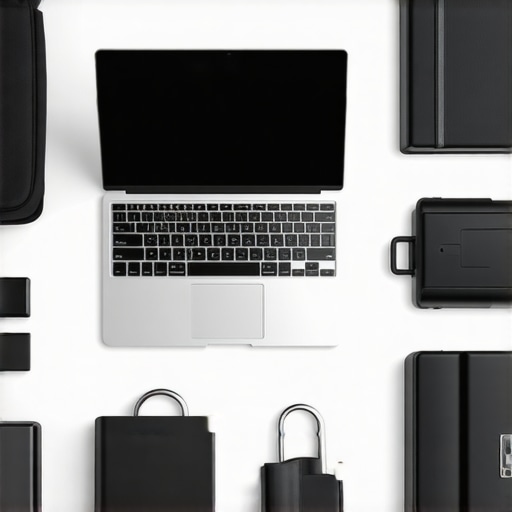
It was a typical chaotic morning when I realized I had left my student laptop perched dangerously on the edge of my campus desk, only to watch in horror as it teetered and finally slipped off, hitting the ground with a sickening thud. That moment of panic was a lightbulb for me—raising the question: how can I keep my budget-friendly, essential homework companion safe amid the chaos of dorm life?
Why Protecting Your Student Laptop Should Be a Top Priority
As a parent or student, your laptop isn’t just a gadget—it’s the core tool for classes, projects, and even staying connected with friends and family. But dorm environments are notorious for their unpredictability—hot corners, accidental spills, and the constant risk of slips and drops. Losing your device, even temporarily, can put a serious damper on your semester, especially with the rising cost of new laptops. Did you know that over 60% of students experience hardware issues caused by accidents within the first year of college? (Source: Laptop Buyers Club)
You might be wondering, “Is this really worth the hype?” Well, I made a critical mistake early on—assuming that a cheap, basic laptop would survive anything. Spoiler alert: it didn’t. That oversight led to a scrambling search for repairs and a frustrating semester delay. If you’re like me, you’ve probably faced your own mini-disasters, or at least worry about them happening. But good news—there are proven ways to safeguard your investment without breaking the bank.
Today, I’ll guide you through five simple yet effective strategies to make your dorm life more secure for your student laptop, ensuring it’s protected from the usual hazards of college living. Ready to turn your device from sitting duck to dorm-proof? Let’s get started.
Secure Your Laptop with a Sturdy Case or Sleeve
Investing in a high-quality, shock-absorbent case or sleeve is your first line of defense. Like cushioning a fragile gift, a padded cover can absorb impacts when your backpack drops or if you accidentally knock over other items. I once slipped my Chromebook into a thin sleeve, which prevented a cracked screen during a campus run between classes. Choose a sleeve with reinforced corners and water-resistant materials for maximum protection.
Position Your Desk and Sleeping Area Wisely
Place your device away from the edges of surfaces—think of it as placing a glass closer to the center to prevent spills or bumps. When setting up your dorm desk, position your Chromebook or homework laptop away from foot traffic zones and windows prone to sudden gusts or splashes. During a late-night study session, I moved my laptop to a stable corner of my desk, which stopped accidental knocks that previously sent my device tumbling.
Use a Secure Mount or Stand When Studying
Elevate and stabilize your device with a dedicated stand or mount, similar to how a chef uses a tripod to keep a camera steady. This reduces the risk of knocks and improves ergonomics. I found that a foldable laptop stand not only kept my device steady during marathon study sessions but also improved my posture—saving me from back pain.
Set Up Automatic Backups and Find My Device Tools
Prevent data loss by enabling automatic backups to cloud storage services and tracking tools like ‘Find My Device.’ Think of it as having a security camera on your laptop—if it goes missing or is stolen, you can locate or lock it remotely. During a class break, my device was stolen, but I was able to locate it and remotely wipe sensitive data, thanks to my backup and security setups. Regular backups also saved me from losing critical homework files after a software crash.
Maintain Your Laptop Regularly for Peak Performance
Keep your device clean, update software, and remove unnecessary files—think of it as giving your car regular check-ups to avoid breakdowns. I scheduled monthly cleanups and updates, which kept my budget Chromebook running smoothly throughout the semester, even when running multiple apps or dealing with heavy workloads. Efficient maintenance extends your device’s lifespan and prevents costly repairs.
Many students and parents believe that all affordable laptops, like Chromebooks, are interchangeable and flimsy, but this misconception can lead to costly mistakes. One prevalent myth is that cheap laptops can’t handle demanding assignments or long hours of use. In reality, with proper selection—focusing on models with adequate RAM and processing power—budget laptops can be surprisingly capable, especially for everyday homework and research. However, a frequent oversimplification is assuming that a low price equals low quality, which isn’t always true; some budget devices are built to last and perform well if you know what features to prioritize.
It’s also common to think that Chromebooks are only suitable for basic tasks. While they excel at web-based activities, many can now run Android and Linux apps, expanding their utility beyond basic browsing. To avoid falling for these myths, consult detailed reviews and guides, like the ones available at how to pick a Chromebook for easy homework and ultimate budget-friendly student laptop guide.
A crucial nuance often overlooked is the importance of understanding hardware specifications over brand reputation. Many assume that well-known brands always offer better durability or performance, but some lesser-known models, especially those with good customer feedback, can outperform pricier options in key areas like battery life and build quality. For instance, a well-chosen budget laptop with 8GB RAM and an SSD can deliver reliable performance for students without the premium price tag.
Further, there’s a trap in relying solely on internal storage capacity, ignoring the importance of cloud backups and external drives. Many students underestimate the value of automatic backups and device tracking tools, which can save significant headaches if a device is lost or stolen—especially relevant in busy dorm environments or on campus. For expert tips on safeguarding your device, visit privacy and security tips.
Understanding these nuances and dispelling myths can ensure you’re investing wisely in a device that supports your academic journey without unnecessary expenses. Trust me—what seems like a simple choice can have nuanced implications on your productivity and device longevity.
Have you ever fallen into this trap? Let me know in the comments.
Keep Your Laptop in Top Shape with Practical Maintenance
Maintaining your Chromebook or budget laptop is crucial for ensuring long-term reliability, especially when it’s your primary tool for assignments and research. I personally schedule quarterly software updates and cleaning routines, which prevent slowdowns caused by accumulated junk files and outdated drivers. Regularly running a disk cleanup, like CCleaner, helps remove unnecessary temp files, freeing up valuable space and improving performance. Additionally, physically cleaning the keyboard and vents with compressed air keeps internal components cool and prevents overheating, which can throttle performance and shorten your device’s lifespan.
Choosing the Right Tools for Upkeep
One tool I highly recommend is Malwarebytes for its simple interface and effective malware scanning—especially vital if you frequently download files or click on links from unfamiliar sources. I also use CrystalDiskInfo to monitor my SSD’s health, catching potential issues before they escalate. For backups, I rely on cloud storage services like Google Drive, which sync seamlessly with Chromebooks and ensure your files are safe even if your device encounters hardware problems. Incorporating these tools into your routine extends your device’s useful life and protects your important data.
How do I maintain performance over time?
Keep your system responsive by enabling automatic updates for your OS and apps. This ensures you always have the latest security patches and performance improvements, reducing vulnerabilities that could lead to crashes or lag. Regularly reviewing and removing unused applications or browser extensions further declutters your device, making it faster for daily tasks. For a detailed guide on optimizing Chrome OS or Windows devices, check out how to pick a Chromebook for easy homework on this page. Going forward, integrating scheduled maintenance into your study routine will become second nature and significantly boost your device’s longevity.
Upgrade When It Makes Sense Instead of Overcomplicating
Eventually, if you notice persistent lag or storage issues despite maintenance, consider modest upgrades or replacements. Upgrading your RAM or switching to an SSD has proven cost-effective for many students, as documented in this article. Alternatively, replacing an aging device with one from the top budget laptops for students in 2025 can be a smarter investment than endlessly troubleshooting hardware limitations. Looking ahead, advancements in portable hardware and cloud-based computing will make maintenance even easier, so stay tuned for the latest trends and recommended models.
One effective tip I urge you to try is scheduling bi-monthly backups and running malware scans. These proactive steps can save hours of troubleshooting later and keep your study flow uninterrupted. Remember, the right tools combined with regular maintenance are your best allies in keeping your budget laptop dependable throughout your academic journey.
What I Wish I Knew About Dorm Laptop Safety Early On
One surprising lesson I learned was that investing in a simple, affordable laptop case can save you hundreds in repairs or replacements down the line. I once dismissed the need for extra protection, only to learn the hard way when my device took a tumble during a busy hallway rush. Now, I always carry a shock-absorbent sleeve, proving that small measures make a big difference.
Another insight was how crucial desk placement is. Positioning your device away from edges and high-traffic zones can prevent accidental knocks and spills—saving you stress and potential data loss. Making conscious choices about your study space isn’t just about comfort; it’s about safeguarding your essential tools.
Finally, I discovered the power of proactive maintenance routines. Regular backups and system updates aren’t just chores—they are your best defense against unexpected crashes and data mishaps. Budget laptops, like Chromebooks, can perform surprisingly well when properly cared for, dispelling myths that affordability equals fragility.