
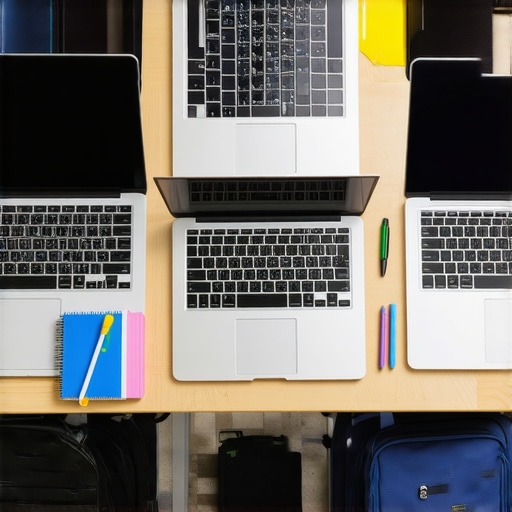
I’ll never forget the sinking feeling I had when my old laptop suddenly refused to turn on just days before finals. It was a wake-up call that hit home hard — technology isn’t just a tool; it’s the backbone of student success. Back then, I thought I needed the latest, most expensive machine to stay ahead. Turns out, that’s not true at all. The real trick is finding a reliable, affordable device that fits your needs without breaking the bank.
Why Picking the Right Budget Laptop Matters
As a student, your tech needs are unique. You want something that can handle your homework, research, and maybe a little entertainment — all without draining your wallet. The good news? There are some fantastic options out there designed specifically for students in 2024. And trust me, choosing wisely can save you headaches and money in the long run.
Is Cheap Tech Actually Worth the Hype
I used to think that cheaper laptops meant sacrificing quality. I made a mistake early on by rushing into a purchase without researching specs or reading reviews. That led to frustration, crashes, and wasted money. Now, I always recommend doing your homework, like checking out guides on top budget laptops for students in 2025 and understanding what specs truly matter. That way, you get a device that’s dependable and budget-friendly.
So, if you’re tired of feeling overwhelmed by the sea of options or worried about making a bad investment, you’re in the right place. This post will help you cut through the noise and find the best value for your money. Ready to dive into what makes a great student laptop or Chromebook for 2024? Let’s get started!
Set Your Priorities Clearly
Before diving into the specs, ask yourself what tasks you’ll prioritize. Will you mainly write papers, attend virtual classes, or do light research? For basic tasks, a Chromebook might be enough, especially if you mainly need cloud-based tools. If you plan to run more demanding software, a budget Windows laptop with decent specs could serve better. I once bought a budget Chromebook without considering my need for offline work, and it turned out to be limiting. Clarify your priorities first to avoid costly mistakes.
Compare Key Specifications Effectively
Think of specs as the engine of your tech vehicle. Focus on processor (Intel or AMD), RAM (at least 4GB for smooth multitasking), storage (prefer SSD for speed), and battery life. For example, a Chromebook with an Intel Celeron, 4GB RAM, and 64GB eMMC storage can handle most homework and browsing. For a Windows laptop, aim for at least an Intel Core i3 or AMD Ryzen 3 with 8GB RAM if possible. I once got fooled by a cheap laptop claiming 8GB RAM but with a slow hard drive, which made everything sluggish. Always check detailed reviews and benchmark scores.
Read Real-World Reviews and User Feedback
Reviews are your best friends. Look for recent user comments on how the device performs for homework, multitasking, and durability. Don’t rely solely on manufacturer specifications. I learned this the hard way when a laptop looked perfect online but had poor Wi-Fi performance in real life. Use trusted sites like top budget laptops for students in 2025 for comprehensive insights. These reviews can reveal hidden flaws that specs alone can’t show.
Test Compatibility for Your Academic Needs
Check if your school’s online platforms work smoothly on your device. Some apps perform better on Windows, while others are optimized for Chrome OS. If you’re unsure, visit Chromebook vs. Laptop to understand which suits your courses. I once bought a Chromebook without confirming compatibility, only to find out I couldn’t run essential software. Testing your device early prevents last-minute surprises.
Balance Cost and Durability Effectively
Cheap laptops often sacrifice build quality. Look for models with sturdy chassis, good keyboard feedback, and reliable battery life. For example, many budget Chromebooks have excellent durability and last through a whole semester. Avoid overly cheap brands that might break or slow down quickly. I recommend reading back-to-school tips for budget laptops to find durable picks.
Utilize Expert Buying Guides and Support
Leverage expert guides like student laptop buying guides to compare options side by side. If you’re still unsure, contact support through contact us for personalized advice. I once reached out with questions about a budget Chromebook, and the prompt guidance saved me from buying an underpowered device.

Many students enter the market armed with misconceptions about what makes a good budget laptop for their studies. One of the most persistent myths is that cheaper equals lower quality, which isn’t always true. In fact, brands like ASUS, Lenovo, and Acer have developed reliable models that deliver excellent performance without a hefty price tag. The key is understanding which specs truly impact your daily tasks and which ones can be sacrificed without sacrificing productivity.
Another misconception is that you need the latest processor or maximum RAM to stay ahead in school. This is misleading because most coursework, especially in 2024, doesn’t demand high-end hardware. For instance, a Chromebook with an Intel Celeron processor and 4GB of RAM can handle most online research, writing, and even some light multitasking. When in doubt, check this guide to see what specs are essential for your specific needs.
Are High-End Specs Actually Necessary for Students?
Many students believe that only the most powerful laptops can handle their academic workload. However, a study by TechInsights highlights that for typical student tasks, mid-range hardware performs just as well as high-end models. Investing in a device with a solid build, good battery life, and sufficient processing power for your tasks is more strategic than chasing the latest processor or maximum RAM. Remember, a well-chosen budget laptop can last through your entire college career if you prioritize durability and reliability.
Be cautious of the trap that more RAM or storage automatically means better performance. Sometimes, a device with 8GB RAM but a slow hard drive can be sluggish, which frustrates productivity. Look for models with SSD storage, which significantly boosts speed and responsiveness. Also, beware of the myth that all cheap laptops have poor build quality. Many budget-friendly options now feature sturdy chassis and keyboards, making them perfect for everyday use.
To avoid falling into these common traps, leverage trusted resources like top budget laptops for students in 2025 and consult expert buying guides. These tools can help you differentiate between hype and real value, ensuring you make an informed decision that supports your academic success. Have you ever fallen into this trap? Let me know in the comments!
How do I maintain my student laptop over time?
Keeping your laptop in top shape requires regular maintenance and smart tool choices. I personally rely on a few key tools to extend my device’s lifespan and ensure it runs smoothly through exams and projects. First, I always install CCleaner for Windows or CleanMyMac for Mac. These tools help me clear out unnecessary files, temporary data, and optimize system performance without much effort. Regular cleaning prevents sluggishness caused by clutter and keeps my device responsive.
Secondly, I use support from trusted professionals whenever I encounter persistent issues. Whether it’s a failing battery or software glitches, reaching out for expert advice can save you time and prevent bigger problems. Don’t forget to keep your drivers updated, especially for critical components like Wi-Fi and graphics, which directly impact your study experience.
Looking ahead, I believe that AI-powered maintenance tools will become more integrated into everyday tech management. These tools will predict hardware failures before they happen and suggest personalized optimization routines, making long-term device care even easier. Staying ahead with these innovations can keep your device performing perfectly throughout your academic journey.
Make Maintenance a Habit
Set a monthly reminder to run system scans and clean out unnecessary files. This simple habit can prevent many common tech issues that disrupt your studies. Remember, a well-maintained laptop isn’t just faster—it lasts longer and saves you money in repairs or replacements.
By choosing the right tools and being proactive, you can ensure your device remains a reliable partner all semester long. If you’re unsure where to start, check out this guide for budget-friendly options that include maintenance tips tailored for students. Don’t wait until your device slows down or crashes—start maintaining it today and enjoy seamless learning experiences!
Finding the perfect budget laptop for your studies in 2024 can feel overwhelming, but the key is to learn from real-world experiences and focus on what truly matters. Over the years, I’ve discovered that avoiding common pitfalls and leveraging trusted resources can make all the difference in your academic journey. Let me share some insights that have helped me—and many others—make smarter tech decisions.
The Hardest Lesson I Learned About Budget Laptops
Early in my college days, I bought a cheap laptop based solely on price, without considering build quality or performance. It slowed down after just a few months and needed constant troubleshooting. That taught me a crucial lesson: a little investment in durability and reliability saves you from frustration and replacement costs down the line. Now, I prioritize models with sturdy chassis and positive user feedback, even if they cost a bit more.
3 Myths About Student Tech That Held Me Back
One myth I believed was that only high-end specs can support academic tasks. I later realized that most coursework doesn’t require top-tier hardware—an affordable device with SSD storage and enough RAM can handle everything from research to writing. Another misconception was that brand names guarantee quality; in reality, brands like ASUS, Lenovo, and Acer often produce reliable budget options. Lastly, I thought I needed the latest processor, but for most students, mid-range hardware does just fine.
What Experts Won’t Tell You About Buying Student Laptops
Many experts emphasize specs, but they often overlook the importance of compatibility and real-world durability. For example, I once bought a device that looked perfect online but couldn’t run essential school apps efficiently. Trusted guides like top budget laptops for students in 2025 highlight models tested by users, which often outperform specs on paper. Always verify if your device supports your school’s platforms and software.
Curated Resources for Smarter Buying
To make your decision easier, I rely on a few go-to sources. First, the comprehensive guides at student laptop buying guides offer side-by-side comparisons and honest reviews. Additionally, this resource helps identify reliable Chromebooks and Windows laptops tailored for students. Finally, don’t hesitate to reach out through support channels for personalized advice—many times, a quick chat can prevent costly mistakes.
Stay Proactive and Keep Your Device Sharp
Regular maintenance, like running system updates and cleaning out unnecessary files, keeps your laptop running smoothly through exams and projects. Tools like CCleaner or CleanMyMac help optimize performance, and staying connected with tech support ensures quick resolutions to issues. I’ve found that setting monthly reminders for maintenance extends my device’s lifespan significantly. Remember, a well-maintained laptop isn’t just faster—it’s a reliable partner for your entire academic journey. Ready to put these lessons into action? Dive into trusted guides, choose wisely, and keep your tech in top shape for 2024 and beyond.
Reading through this post really hit home for me. I remember rushing to buy a cheap laptop early in college, thinking I was saving money, only to find myself battling sluggish speeds and compatibility issues just when exams were near. It’s become clear that investing in a reasonably priced, durable device with solid specs actually pays off more in the long run. I’ve since switched to a mid-range Chromebook with an Intel processor and 8GB RAM, and it’s been a game-changer – handling multitasking effortlessly and lasting all day long. The key takeaway for me was understanding that not every high-end feature is necessary, especially when most coursework relies on internet access and basic software. That said, I’m curious about others’ experiences: Have you found specific brands or models that balance affordability and durability well for heavy daily use? I’d love to hear your recommendations or tips for maintaining a budget laptop in top shape during the academic year.
This post really hits the nail on the head about smart budget laptop choices for students. In my experience, the brands like ASUS and Lenovo have been surprisingly durable, especially their Chromebook lines, which often meet the needs for online classes and light multitasking. I’ve found that investing a bit more in a device with an SSD and at least 8GB of RAM pays off because it keeps things running smoothly over the years. Also, regular maintenance like updating drivers and clearing cache is essential — my laptop’s lifespan has improved significantly since I adopted these habits. One challenge I face is balancing affordability with durability, especially in models that are budget-friendly but tend to feel flimsy. How do others approach this? Do you prioritize certain features or brands without overspending? Overall, choosing the right device after thorough research really makes a difference in managing coursework efficiently without breaking the bank.
This post really resonates with me because I’ve experienced firsthand how crucial it is to choose a reliable student laptop that balances affordability and performance. Back in my first year, I invested in a budget Windows laptop that looked good online but quickly proved to be sluggish and unreliable—especially when running library research tools and multiple tabs. Since then, I’ve switched to a mid-range Chromebook with a solid state drive, 8GB RAM, and a durable build, which has made a huge difference in my productivity. I also learned that routine maintenance, like clearing out files and keeping drivers updated, extends the device’s lifespan and performance. One challenge I still face is selecting a device that can handle offline work well, especially during power outages or internet disruptions—any recommendations on models that excel in offline functionality but still stay within a student’s budget? I’d love to hear how other students navigate these choices and what tricks they use to keep their tech in top shape throughout the year.